> ## Documentation Index
> Fetch the complete documentation index at: https://help.get-ryze.ai/llms.txt
> Use this file to discover all available pages before exploring further.
# Approvals
> The agent finds improvements in your accounts on its own and brings them to you for sign-off — you approve, it applies the change.
Approvals flip the direction of work. Instead of you checking dashboards for problems, the agent continuously researches your connected accounts — SEO and paid — and when it finds something worth fixing, it files a proposal. You review the exact change, approve or reject, and on approval the agent applies it.
Find them under **Approvals** in the sidebar.
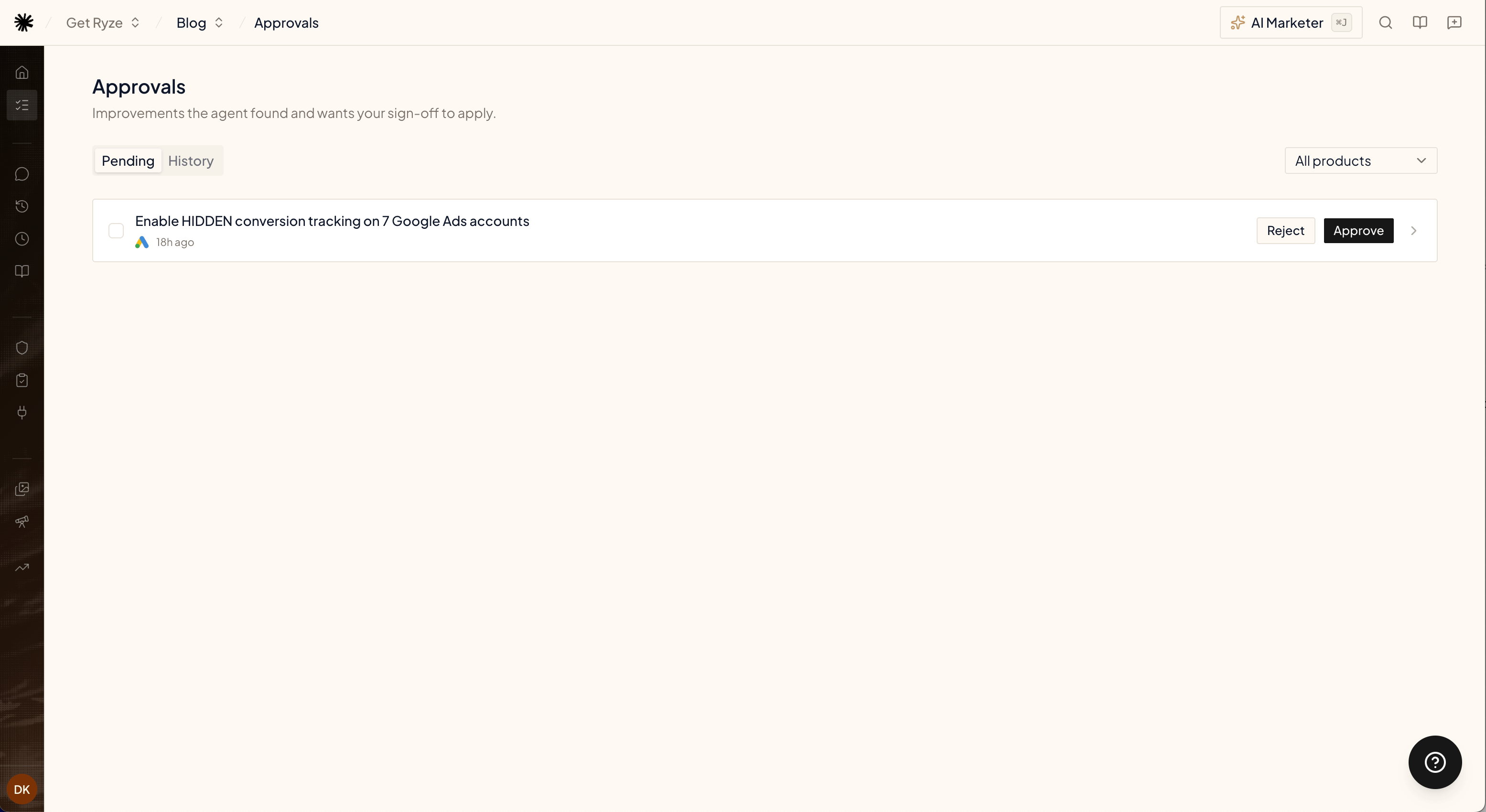 ## What a proposal looks like
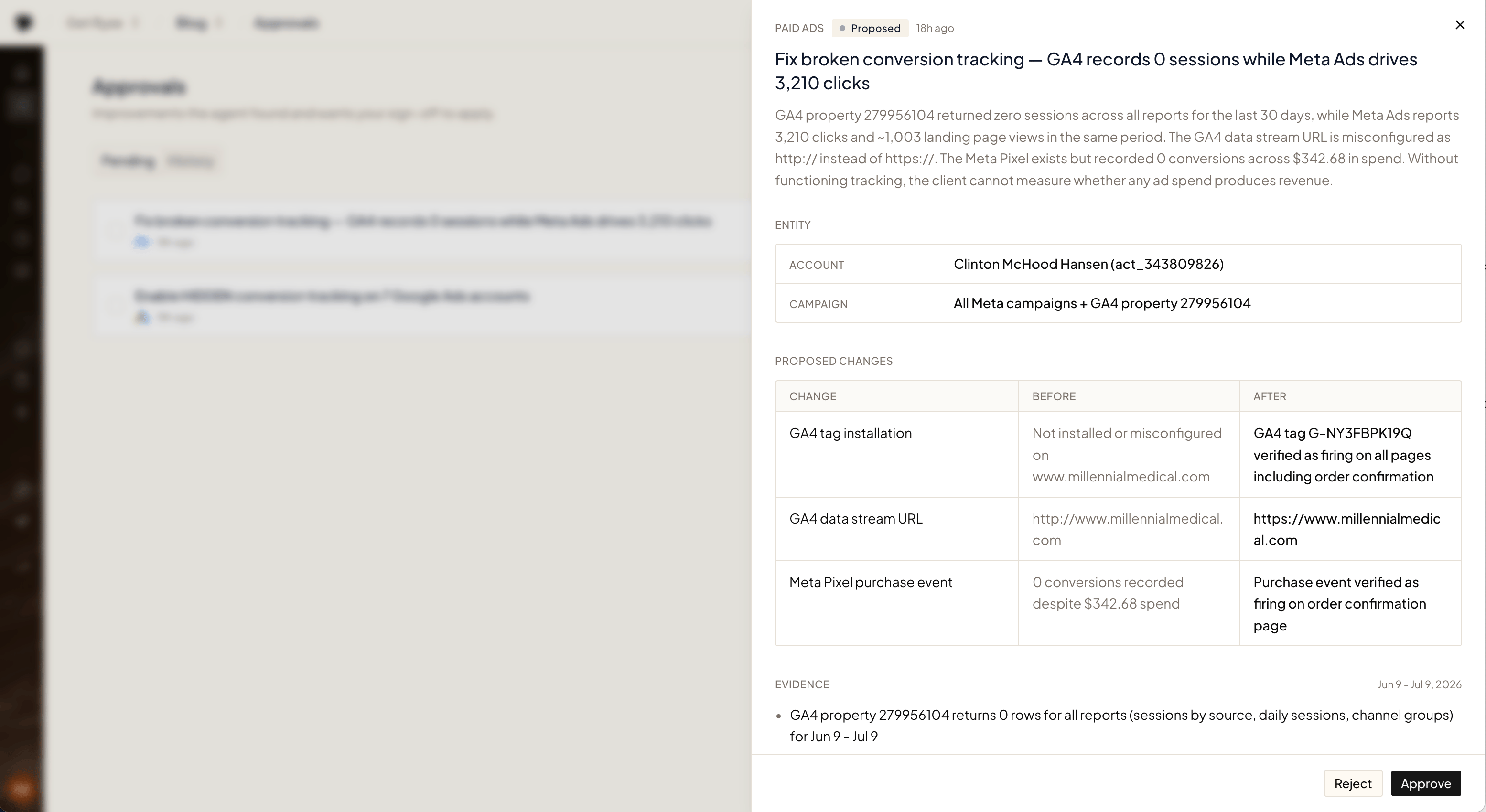
Every proposal is specific and grounded in your data — never "consider improving X". Open one to see:
* **Summary** — what's wrong, what it costs you, and why it matters, with real numbers from your accounts.
* **Entity** — the exact account and campaigns the change touches.
* **Proposed changes** — a before/after table of every change the agent wants to make.
* **Evidence** — the data the agent pulled to reach its conclusion.
## What a proposal looks like
Every proposal is specific and grounded in your data — never "consider improving X". Open one to see:
* **Summary** — what's wrong, what it costs you, and why it matters, with real numbers from your accounts.
* **Entity** — the exact account and campaigns the change touches.
* **Proposed changes** — a before/after table of every change the agent wants to make.
* **Evidence** — the data the agent pulled to reach its conclusion.
 ## Approve or reject
* **Approve** — the agent applies the change to your account and verifies it landed. The proposal moves to **History**.
* **Reject** — nothing is touched. The agent takes the hint and won't re-file the same proposal.
Use the product filter to see proposals for SEO, paid ads, or everything at once.
## Blocked proposals
Sometimes the agent finds a real problem but can't fix it from its side — a tag that must be installed on your website, a pixel that needs verifying, a platform it has no access to. Those proposals arrive as **Blocked**: the same evidence and proposed changes, plus a blocker note that tells you exactly what to do and where.
## Approve or reject
* **Approve** — the agent applies the change to your account and verifies it landed. The proposal moves to **History**.
* **Reject** — nothing is touched. The agent takes the hint and won't re-file the same proposal.
Use the product filter to see proposals for SEO, paid ads, or everything at once.
## Blocked proposals
Sometimes the agent finds a real problem but can't fix it from its side — a tag that must be installed on your website, a pixel that needs verifying, a platform it has no access to. Those proposals arrive as **Blocked**: the same evidence and proposed changes, plus a blocker note that tells you exactly what to do and where.
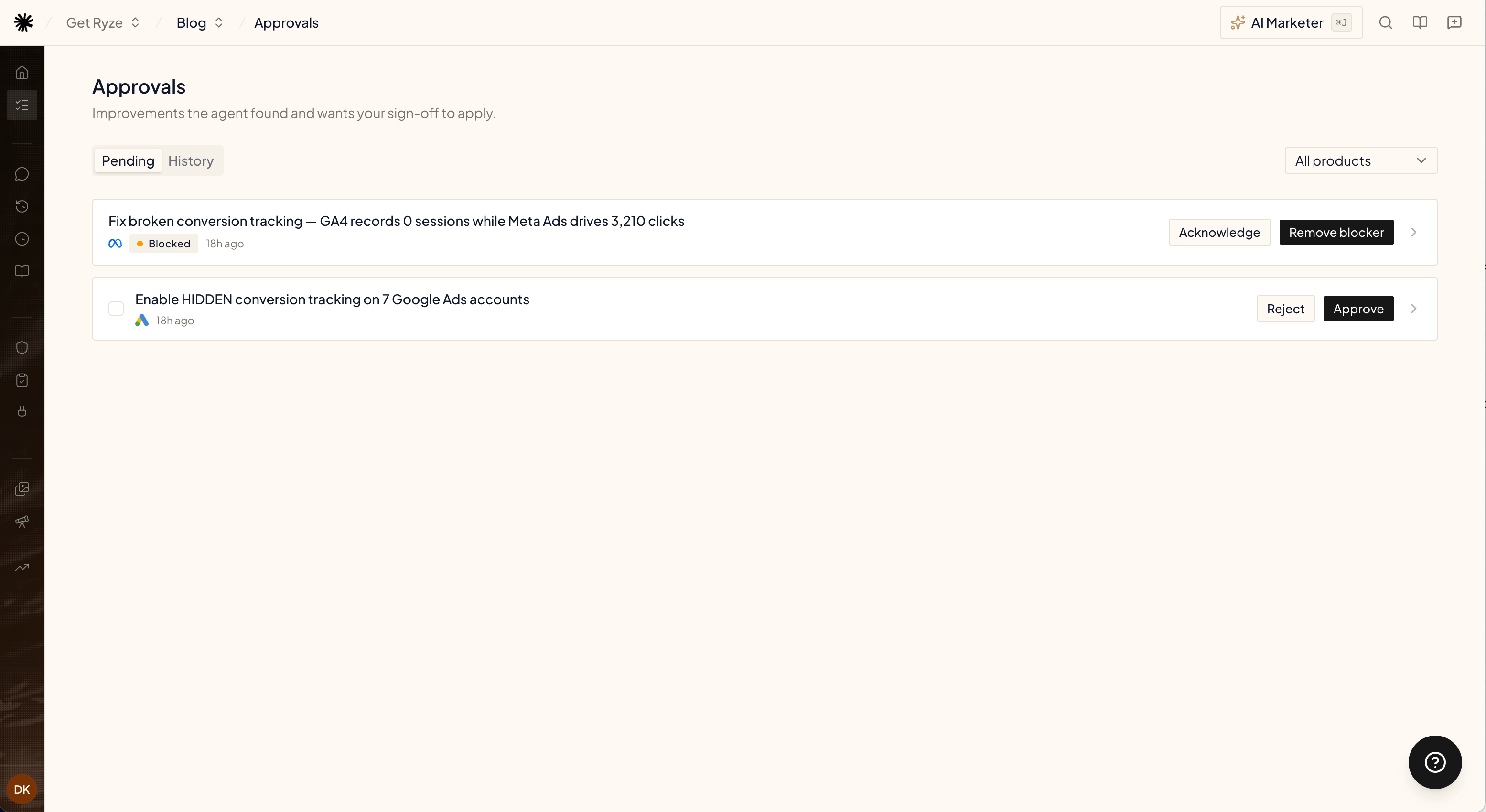
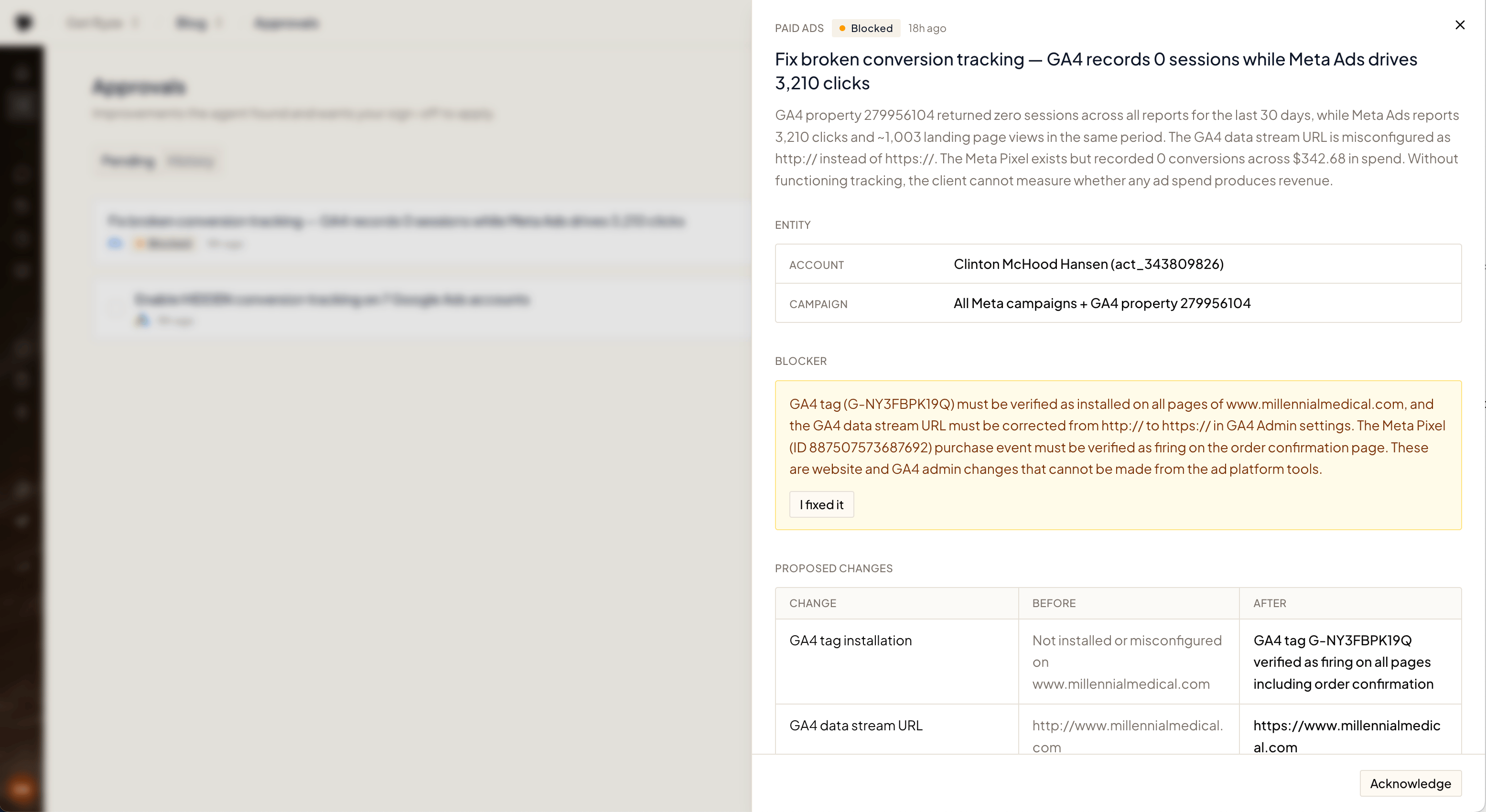 * **Remove blocker** — tell the agent you've resolved the blocker. It re-checks reality before proceeding — if the fix is actually live, the proposal moves forward; if not, it stays blocked and tells you what's still missing.
* **Acknowledge** — you've seen it and will handle it later.
## How proposals are found
The agent runs research on a regular cadence per product, in the background — no setup needed. It only files a proposal when it finds something concrete and worth your attention; quiet accounts produce no noise. Research runs are free — you only spend credits when you approve a fix and the agent applies it (see [Credits & Usage](/agent/credits)).
## Related
Point the agent at your own recurring checks.
How agent runs are billed.
* **Remove blocker** — tell the agent you've resolved the blocker. It re-checks reality before proceeding — if the fix is actually live, the proposal moves forward; if not, it stays blocked and tells you what's still missing.
* **Acknowledge** — you've seen it and will handle it later.
## How proposals are found
The agent runs research on a regular cadence per product, in the background — no setup needed. It only files a proposal when it finds something concrete and worth your attention; quiet accounts produce no noise. Research runs are free — you only spend credits when you approve a fix and the agent applies it (see [Credits & Usage](/agent/credits)).
## Related
Point the agent at your own recurring checks.
How agent runs are billed.