> ## Documentation Index
> Fetch the complete documentation index at: https://help.get-ryze.ai/llms.txt
> Use this file to discover all available pages before exploring further.
# Credits & Usage
> How Ryze charges credits for chat and agent runs, and where to track what you spend.
You pay for the AI's thinking, not its plumbing. Every time the model reasons — reads your question, looks at tool results, writes an answer — that's one AI step, and steps are what cost credits.
## How a message is charged
Each AI step costs by the model you've picked:
| Model | Cost per AI step |
| ------------------- | ---------------- |
| **Fast** | 0.25 credits |
| **Smart** (default) | 0.5 credits |
| **Powerful** | 1.5 credits |
A simple reply is one step. When the AI pulls data or edits a campaign, it takes an extra step per round of tool results it reads — the tool calls themselves are free.
Two tools carry a fixed cost on top, because they do heavy lifting:
| Tool | Cost |
| ------------------------------------------------------- | ---------------- |
| **Ad creative generation** | 5 credits each |
| **SEO data lookup** (rankings, backlinks, keyword data) | 0.5 credits each |
### Examples (on Smart)
* **"Hey agent!"** → one step. **0.5 credits.**
* **"What's my Google Ads spend this week?"** → pull data, then answer: two steps. **1 credit.**
* **"Compare ROAS across my Meta and Google campaigns."** → a few rounds of reports, then the comparison: \~4 steps. **\~2 credits.**
* **"Generate 3 ad creatives for our spring launch."** → two steps + three creatives. **16 credits.**
 ## Agent runs
Work the agent does on its own — [scheduled tasks](/agent/schedules) and applying [Approvals](/agent/approvals) — is billed the same way: per AI step, at the Smart rate (0.5 credits), plus the fixed-cost tools above.
**Background research for Approvals is free.** The agent scanning your accounts for opportunities costs nothing — you only pay when you approve a fix and the agent goes to apply it.
Failed runs aren't charged, same as chat.
## See the cost of any reply
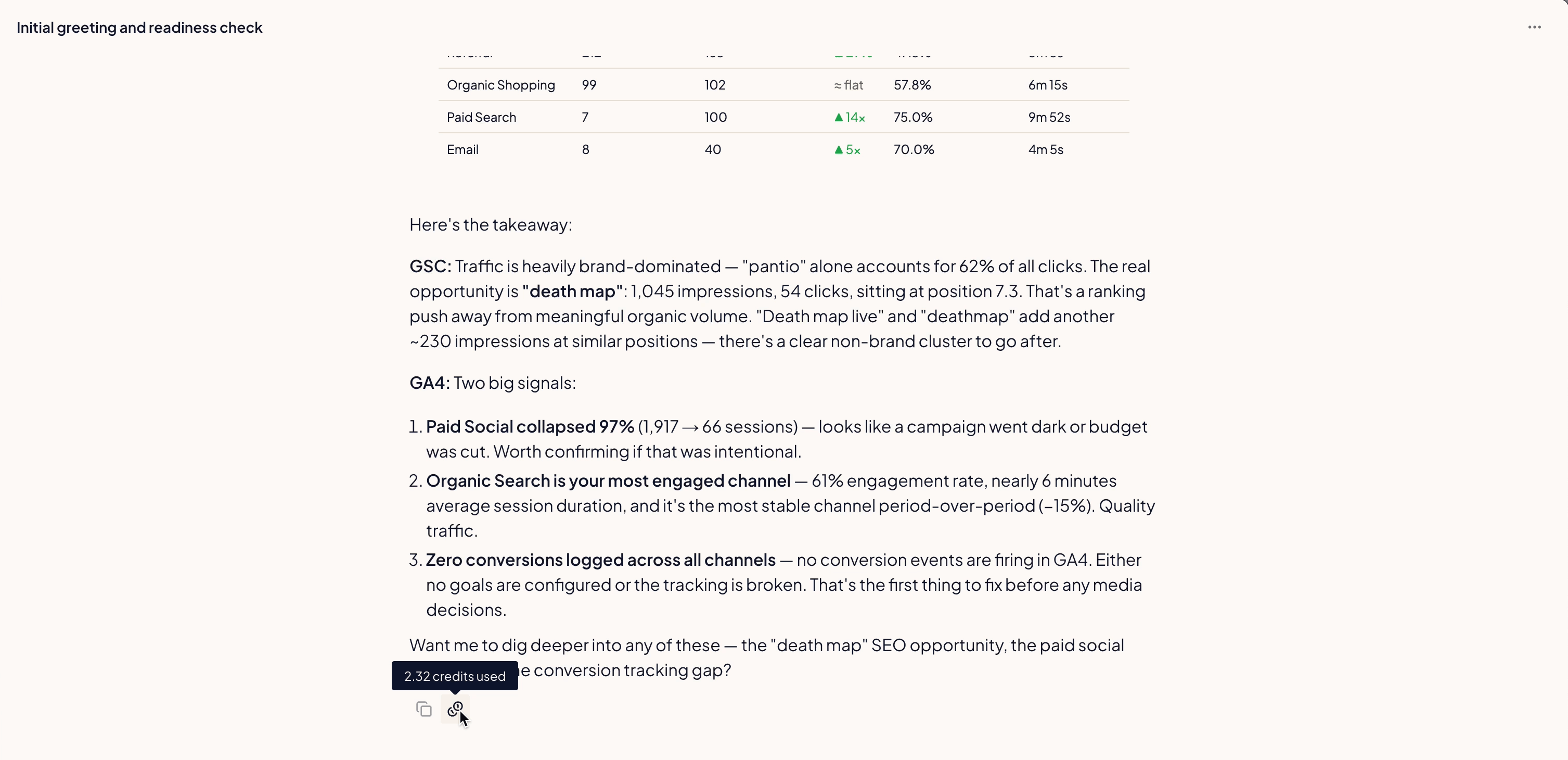
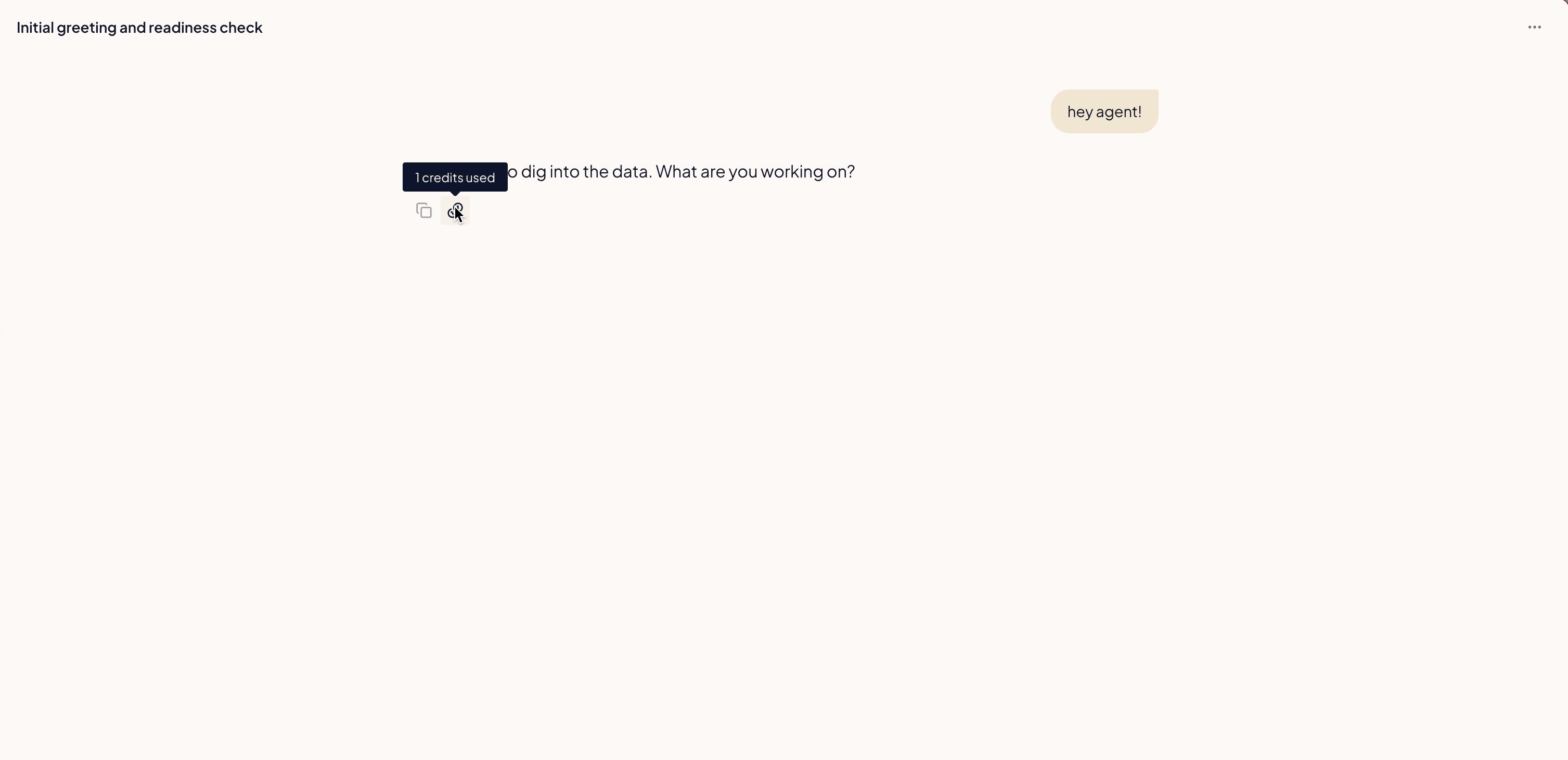
Hover the credit icon under any AI message to see exactly what it cost.
## Agent runs
Work the agent does on its own — [scheduled tasks](/agent/schedules) and applying [Approvals](/agent/approvals) — is billed the same way: per AI step, at the Smart rate (0.5 credits), plus the fixed-cost tools above.
**Background research for Approvals is free.** The agent scanning your accounts for opportunities costs nothing — you only pay when you approve a fix and the agent goes to apply it.
Failed runs aren't charged, same as chat.
## See the cost of any reply
Hover the credit icon under any AI message to see exactly what it cost.
 ## What you're not charged for
You're only billed for work that lands:
* **Failed runs and errors** — if a reply hits an error, it doesn't cost credits.
* **Tool calls** — pulling data, editing campaigns, publishing content: free. You pay for the AI steps around them, plus the two fixed-cost tools above.
* **Approvals research** — the background scanning that files proposals is on us.
* **Chat on your own Anthropic key** — if you connect your own [Anthropic key](/integrations/anthropic), AI steps cost nothing — only the fixed-cost tools do.
## Track your usage
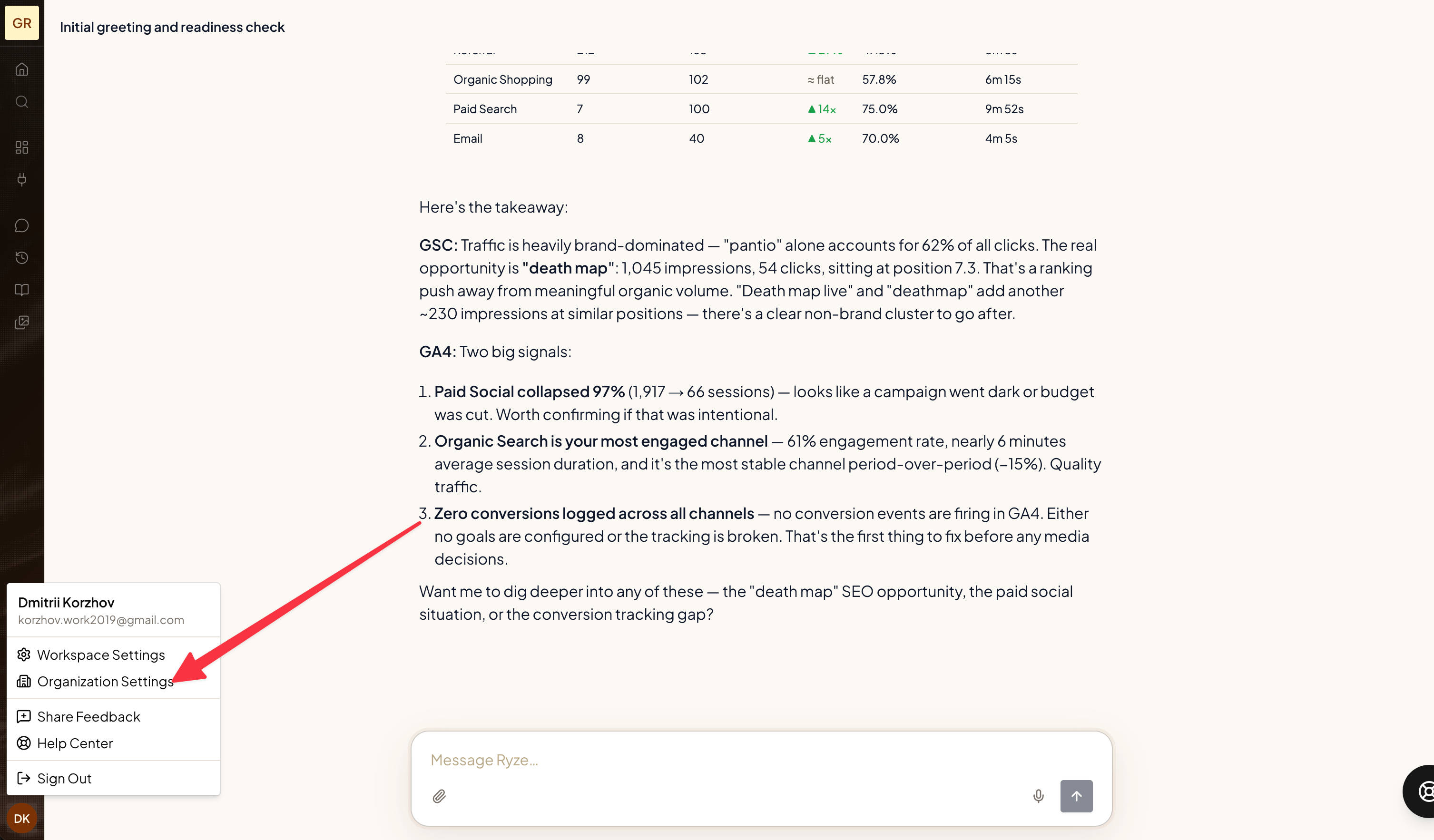
Open **Organization Settings → Usage** to see consumption across your whole organization.
## What you're not charged for
You're only billed for work that lands:
* **Failed runs and errors** — if a reply hits an error, it doesn't cost credits.
* **Tool calls** — pulling data, editing campaigns, publishing content: free. You pay for the AI steps around them, plus the two fixed-cost tools above.
* **Approvals research** — the background scanning that files proposals is on us.
* **Chat on your own Anthropic key** — if you connect your own [Anthropic key](/integrations/anthropic), AI steps cost nothing — only the fixed-cost tools do.
## Track your usage
Open **Organization Settings → Usage** to see consumption across your whole organization.
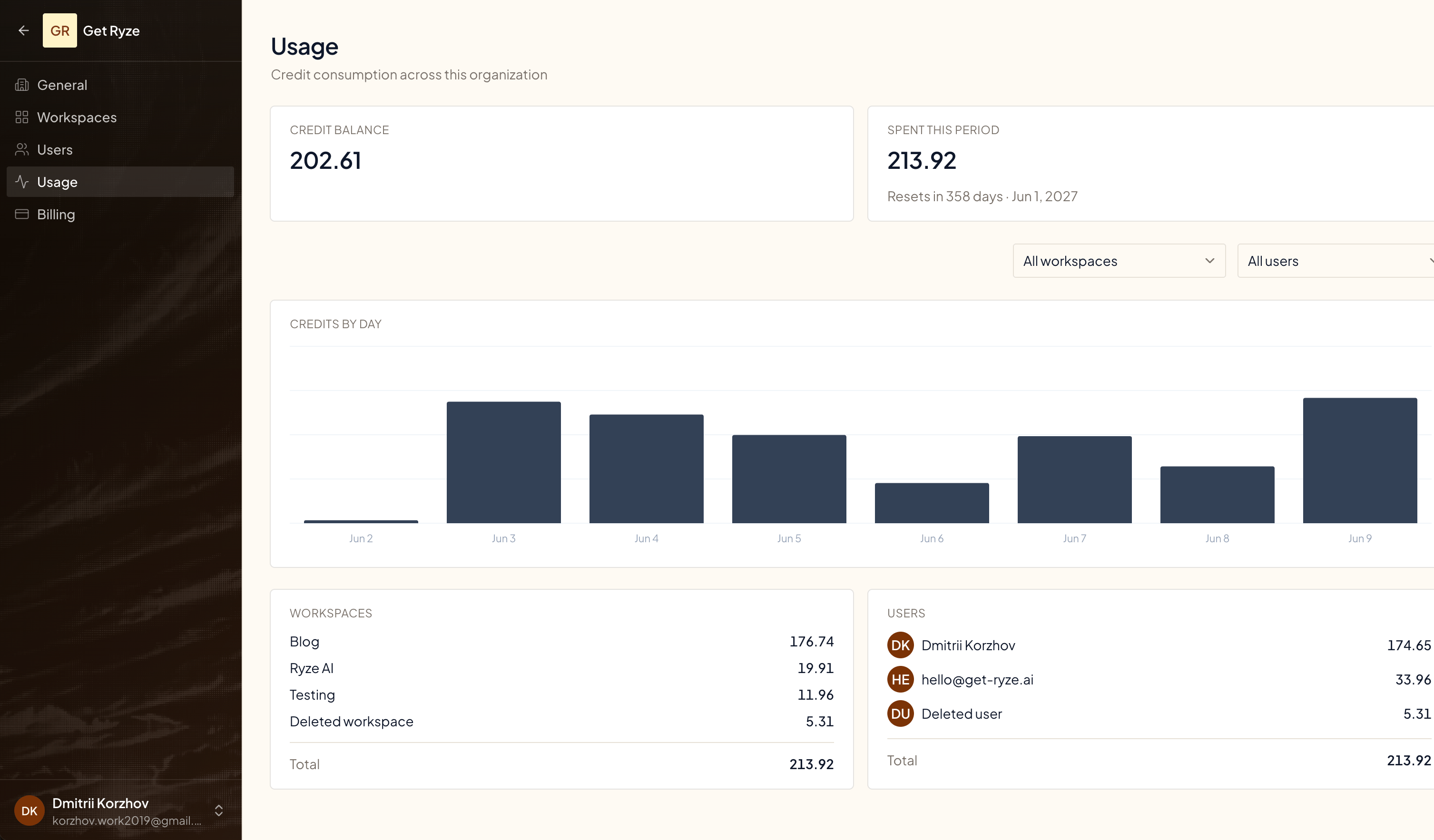
 The Usage page shows:
* **Credit balance** — what you have left.
* **Spent this period** — used since your billing period started.
* **Credits by day** — daily consumption trend.
* **By workspace and by user** — who and what is spending.
The Usage page shows:
* **Credit balance** — what you have left.
* **Spent this period** — used since your billing period started.
* **Credits by day** — daily consumption trend.
* **By workspace and by user** — who and what is spending.
 ## Running low? Top up
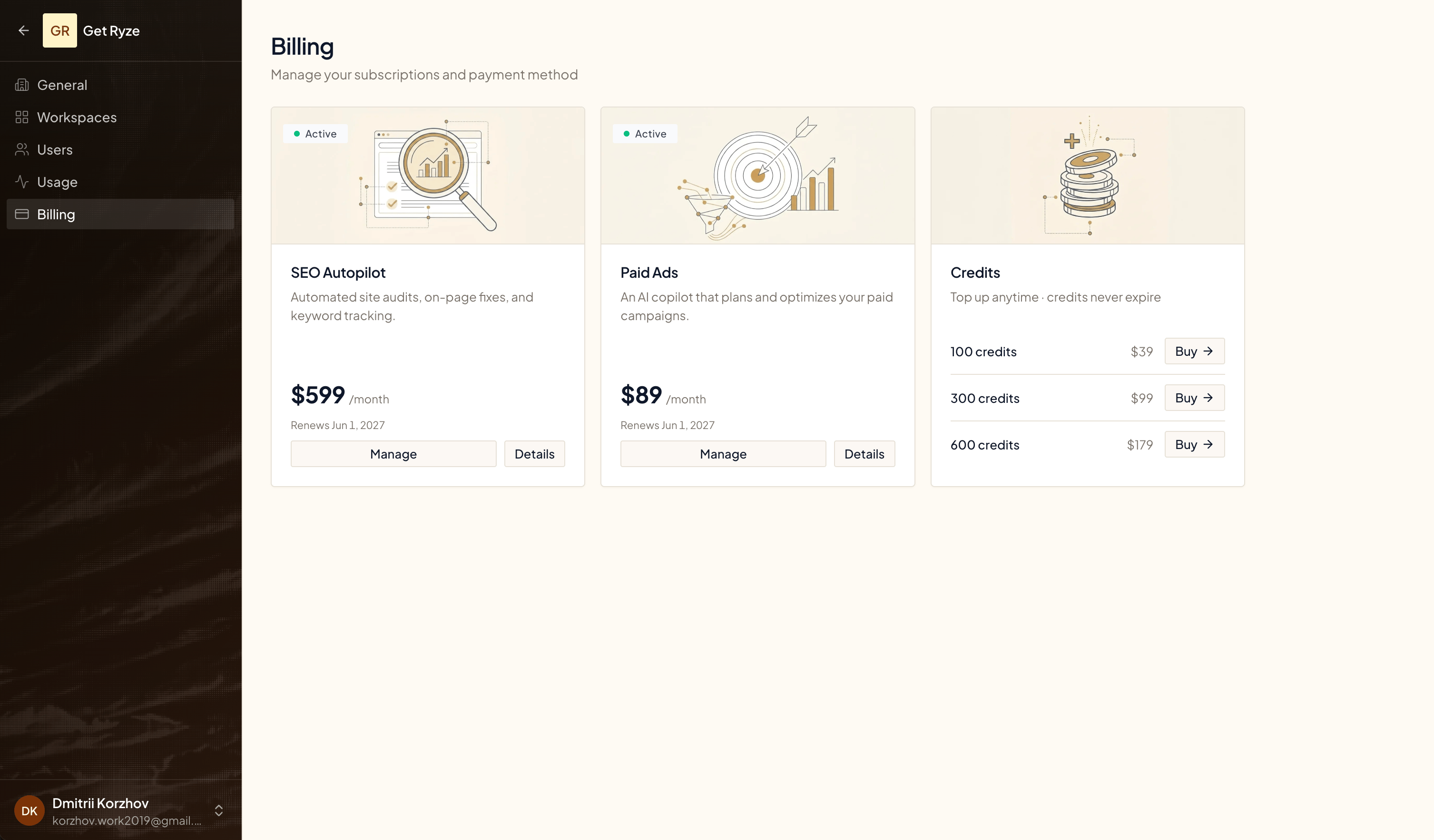
Buy credit packs anytime from **Billing**. Top-up credits **never expire** — they carry over until you use them.
| Pack | Price |
| ----------- | ----- |
| 100 credits | \$39 |
| 300 credits | \$99 |
| 600 credits | \$179 |
## Running low? Top up
Buy credit packs anytime from **Billing**. Top-up credits **never expire** — they carry over until you use them.
| Pack | Price |
| ----------- | ----- |
| 100 credits | \$39 |
| 300 credits | \$99 |
| 600 credits | \$179 |
 ## Good to know
* A reply that pulls data does more thinking, so it costs more — hover the credit icon to see the breakdown.
* Pick the model to match the job: Fast for quick lookups, Powerful when it's genuinely hard. The step price follows.
* Credits never expire. Unused plan credits roll over — each billing period's allowance is added on top of your remaining balance, and top-up credits stay too.
* The Usage page breaks consumption down by workspace and by user, so you can see who's spending.
## Related
What a 5-credit creative generation looks like.
Manage your subscription and payment method.
## Good to know
* A reply that pulls data does more thinking, so it costs more — hover the credit icon to see the breakdown.
* Pick the model to match the job: Fast for quick lookups, Powerful when it's genuinely hard. The step price follows.
* Credits never expire. Unused plan credits roll over — each billing period's allowance is added on top of your remaining balance, and top-up credits stay too.
* The Usage page breaks consumption down by workspace and by user, so you can see who's spending.
## Related
What a 5-credit creative generation looks like.
Manage your subscription and payment method.