> ## Documentation Index
> Fetch the complete documentation index at: https://help.get-ryze.ai/llms.txt
> Use this file to discover all available pages before exploring further.
# Manage Your Subscription
> Change your plan, update your card, or cancel — all from the billing portal.
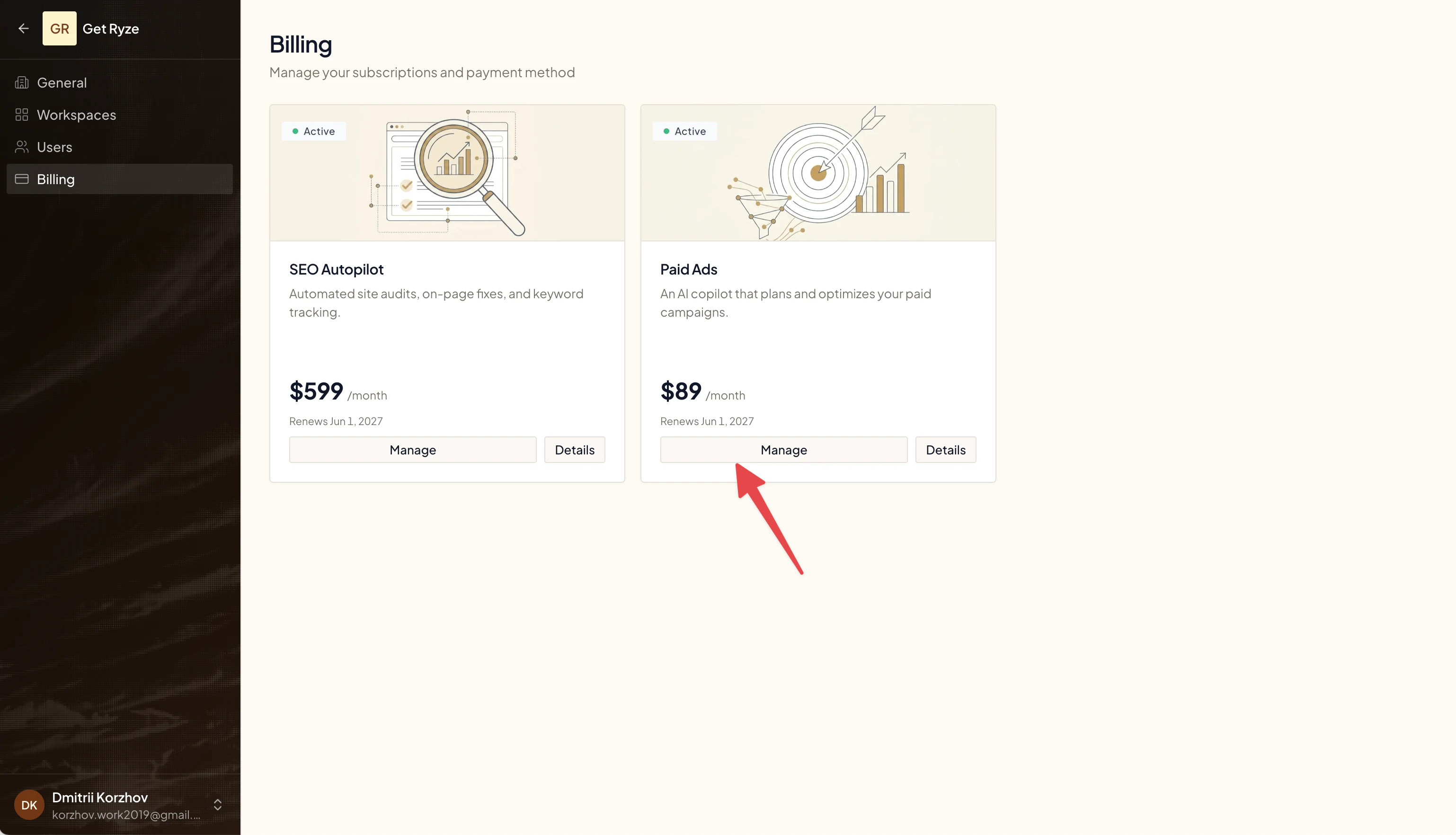
You manage your subscription from the billing portal — open it with the **Manage** button.
## Open the billing portal
Go to [Billing](https://reports.get-ryze.ai/settings/billing) and click **Manage** on the subscription you want to change.
 ## Change your plan
In the portal, switch your plan or update quantities. Changes take effect on your next billing cycle.
## Cancel your subscription
1. Click **Manage** on the subscription.
2. In the billing portal, cancel the plan.
3. Your subscription stays active until the end of the current period — the Billing page then shows **Cancels {date}**.
Canceling keeps your access until the paid period ends. You won't be charged again after that.
## Need help?
Email [support@get-ryze.ai](mailto:support@get-ryze.ai) and we'll sort it out.
## Change your plan
In the portal, switch your plan or update quantities. Changes take effect on your next billing cycle.
## Cancel your subscription
1. Click **Manage** on the subscription.
2. In the billing portal, cancel the plan.
3. Your subscription stays active until the end of the current period — the Billing page then shows **Cancels {date}**.
Canceling keeps your access until the paid period ends. You won't be charged again after that.
## Need help?
Email [support@get-ryze.ai](mailto:support@get-ryze.ai) and we'll sort it out.