> ## Documentation Index
> Fetch the complete documentation index at: https://help.get-ryze.ai/llms.txt
> Use this file to discover all available pages before exploring further.
# Permissions & Approvals
> Control exactly what Claude can do with your connected accounts.
Claude can only touch your data through the tools Ryze exposes. You decide which ones run automatically and which need your approval — right inside Claude's connector settings.
## Read vs write tools
Ryze tools come in two kinds:
* **Read-only tools** — pull data (spend, ROAS, reports, keywords). Safe; nothing changes in your accounts.
* **Write / delete tools** — make changes (create or edit campaigns, apply recommendations, generate creatives). These can affect live accounts.
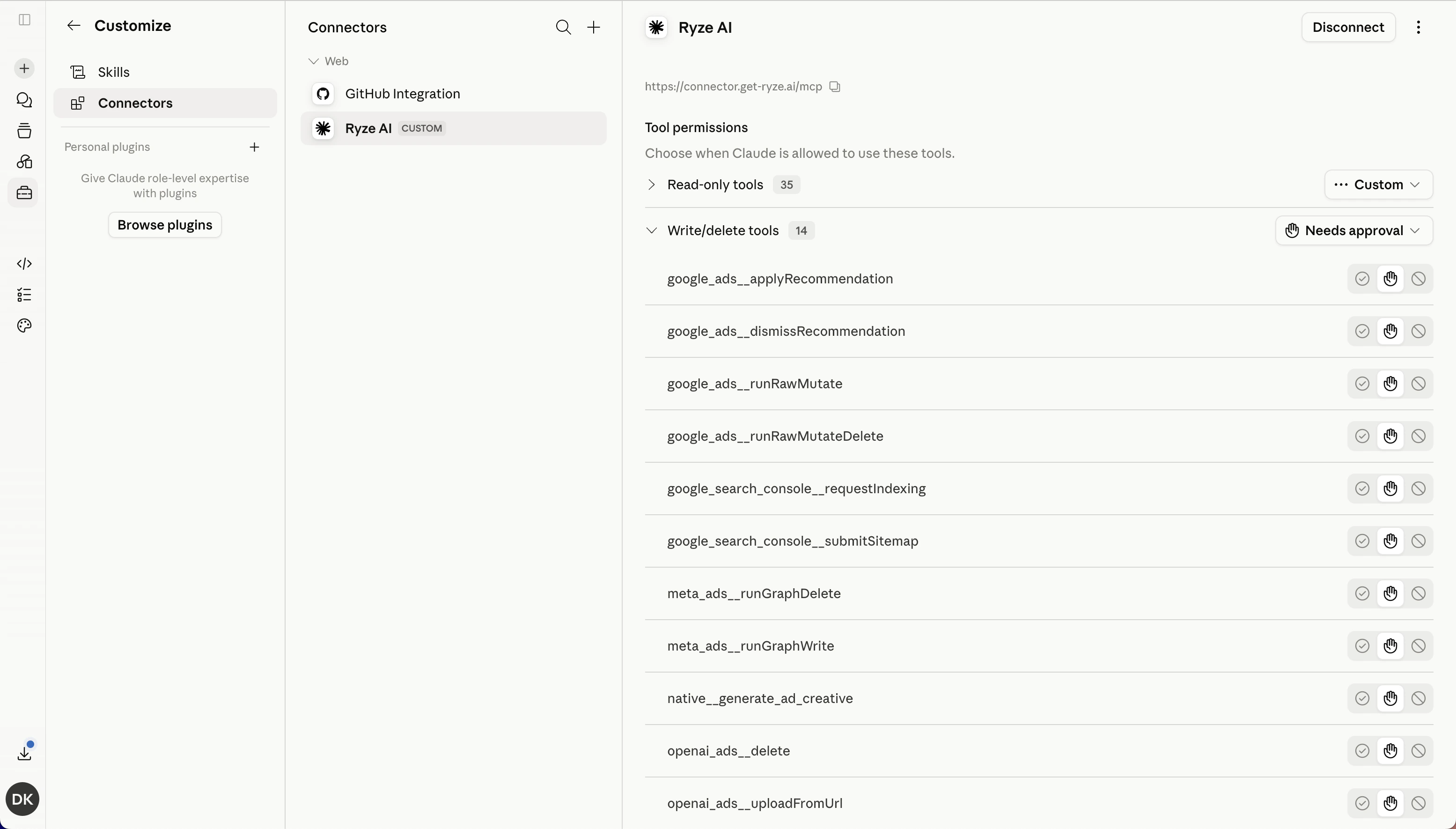 ## Set approval per tool
In Claude, open **Settings → Connectors → Ryze AI**. Under **Tool permissions** you can:
* Leave **read-only tools** on automatic — they just run.
* Set **write / delete tools** to **Needs approval**, so Claude asks before it changes anything.
Keep write and delete tools on **Needs approval**. You'll see exactly what Claude wants to do, and you approve it with one click — nothing happens to your live campaigns without your say-so.
## Disconnecting
To revoke access entirely, open **Settings → Connectors → Ryze AI** in Claude and click **Disconnect**. Claude immediately loses access to every workspace and tool.
## Related
Set up the connector in 90 seconds.
Common connection questions.
## Set approval per tool
In Claude, open **Settings → Connectors → Ryze AI**. Under **Tool permissions** you can:
* Leave **read-only tools** on automatic — they just run.
* Set **write / delete tools** to **Needs approval**, so Claude asks before it changes anything.
Keep write and delete tools on **Needs approval**. You'll see exactly what Claude wants to do, and you approve it with one click — nothing happens to your live campaigns without your say-so.
## Disconnecting
To revoke access entirely, open **Settings → Connectors → Ryze AI** in Claude and click **Disconnect**. Claude immediately loses access to every workspace and tool.
## Related
Set up the connector in 90 seconds.
Common connection questions.