> ## Documentation Index
> Fetch the complete documentation index at: https://help.get-ryze.ai/llms.txt
> Use this file to discover all available pages before exploring further.
# Grok Bot
> Ryze AI is a built-in connector in Grok Bot. Search for Ryze AI, click Add, sign in. No custom MCP server to configure.
Ryze AI is listed in Grok Bot's app directory. Search for it, click **Add**, and sign in. You don't need to add a custom MCP server or paste a URL.
Once connected, you can ask Grok Bot about your Google Ads, Meta Ads, GA4, Search Console and store data in plain language.
## Add Ryze AI
In Grok Bot, open **Connect Apps**.
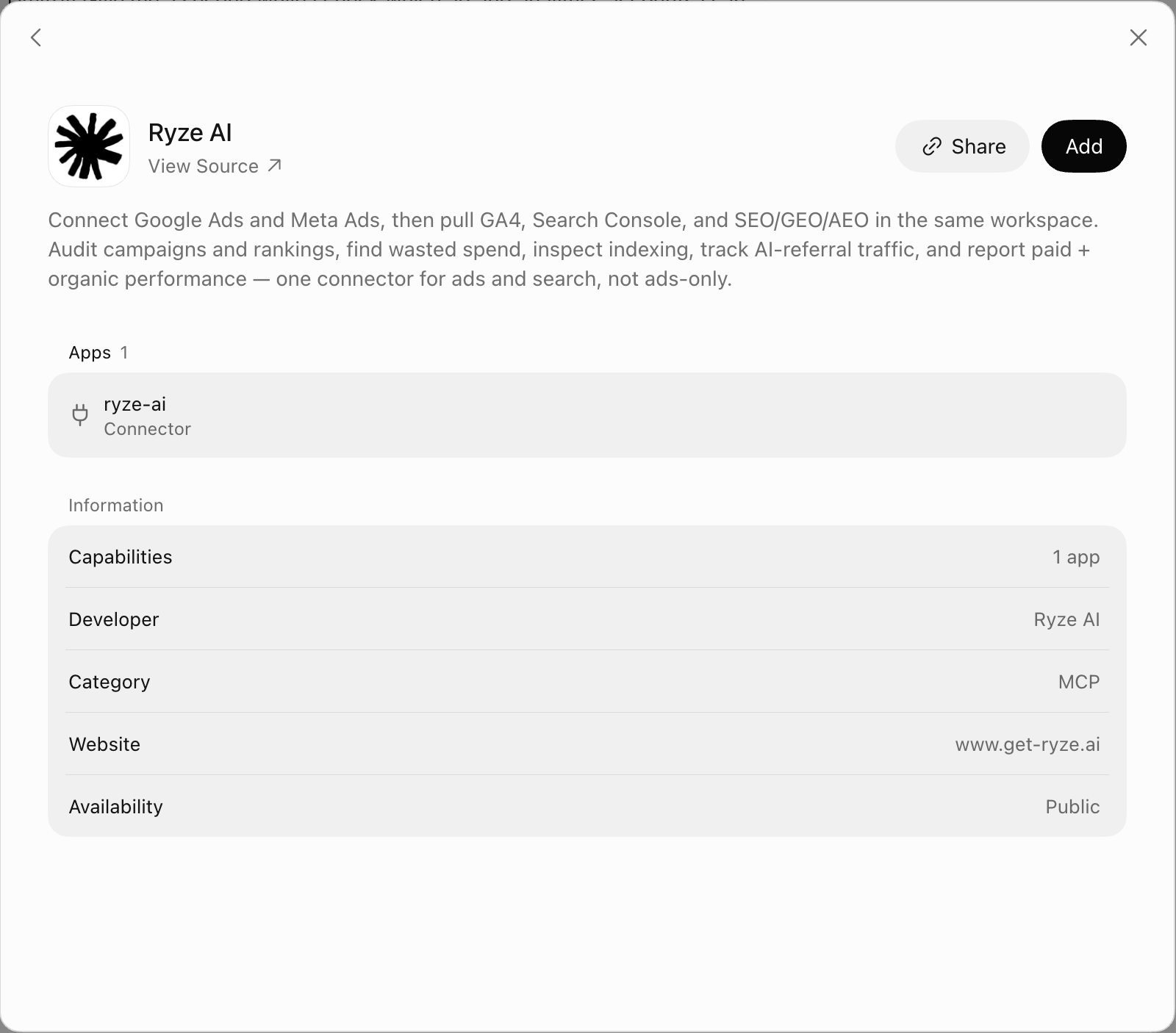
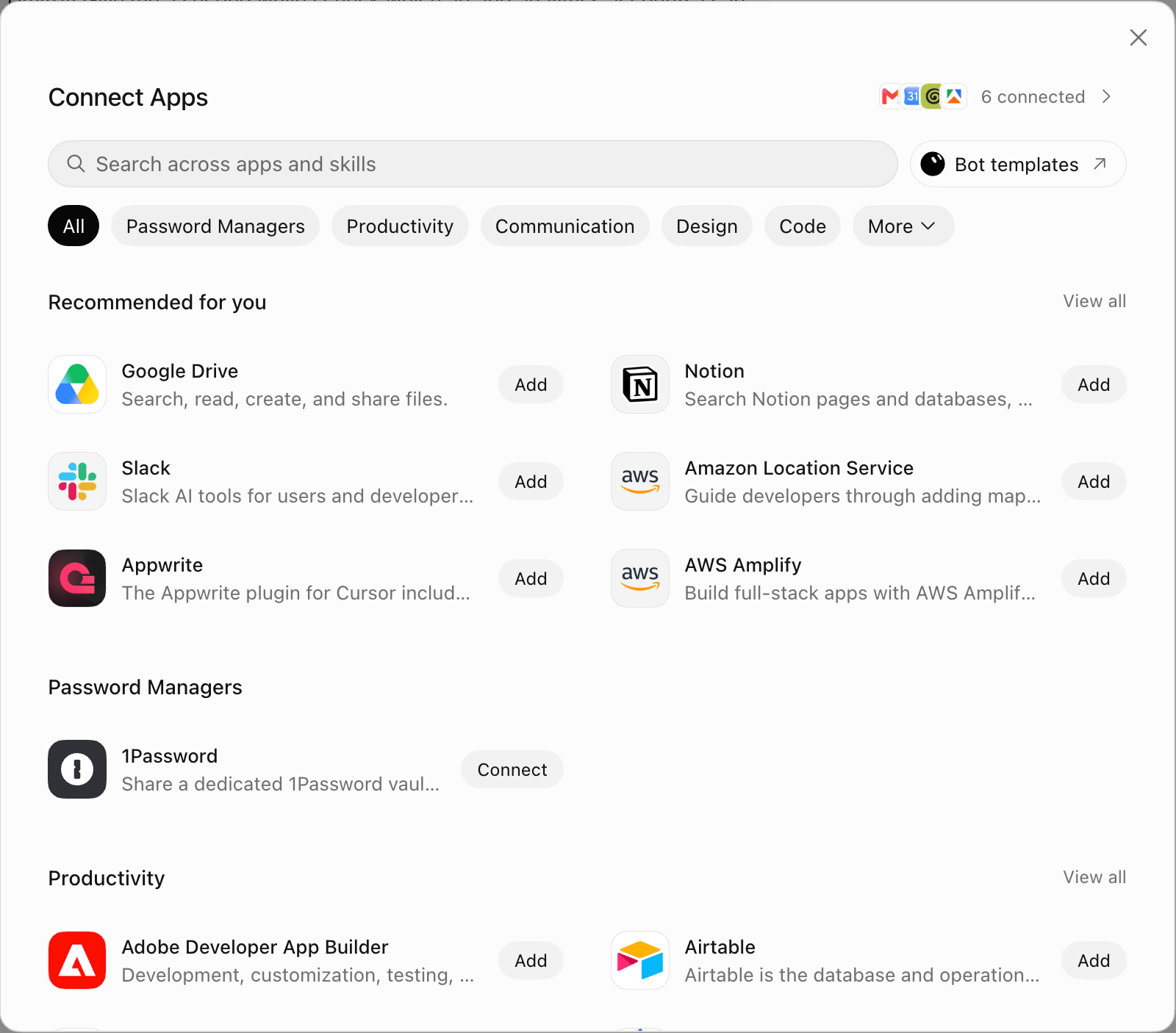 Type `Ryze AI` in **Search across apps and skills**, open **Ryze AI** (developer: Ryze AI), and click **Add**.
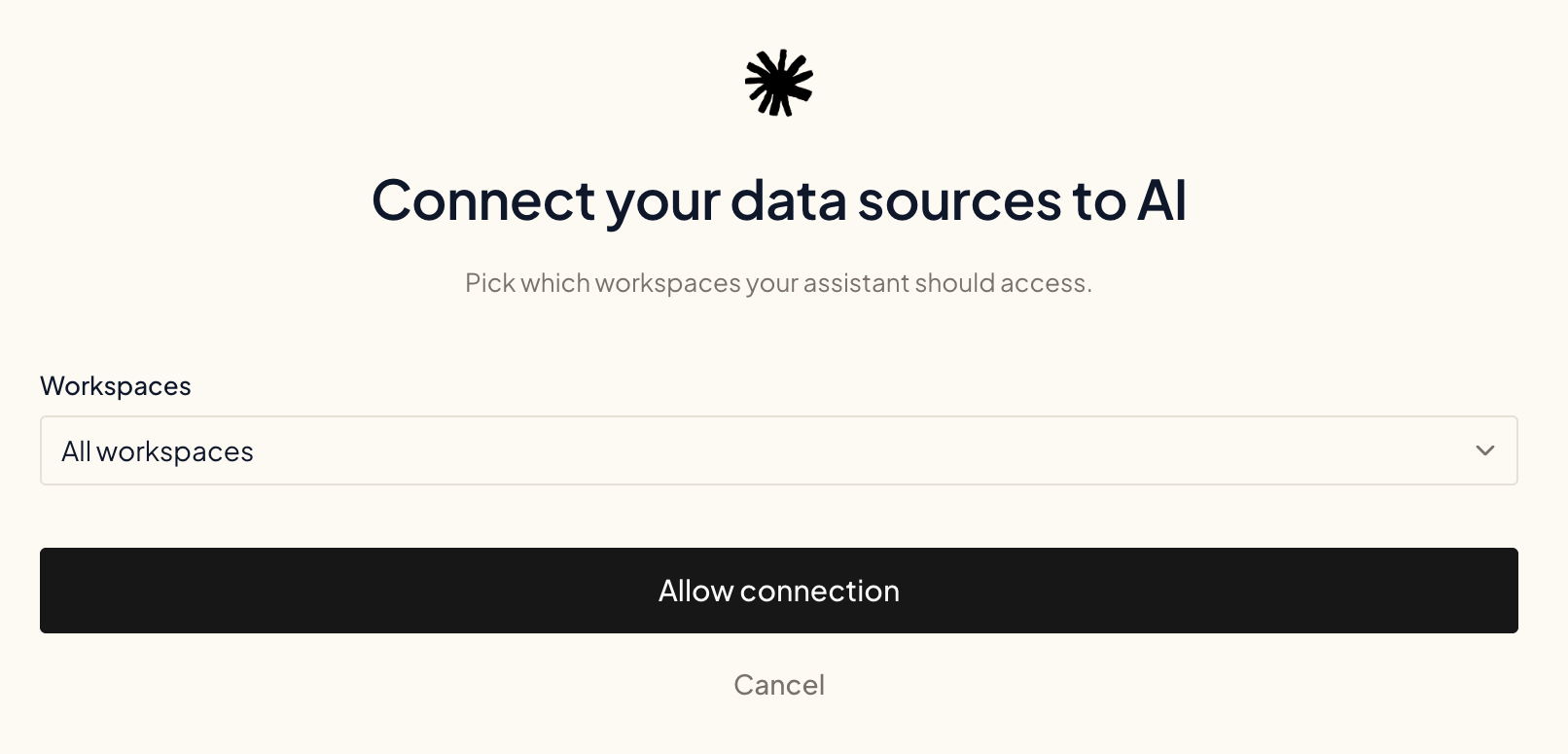
 Your browser opens Ryze. Sign in if asked, choose which workspaces Grok Bot can access (or **All workspaces**), then click **Allow connection**.
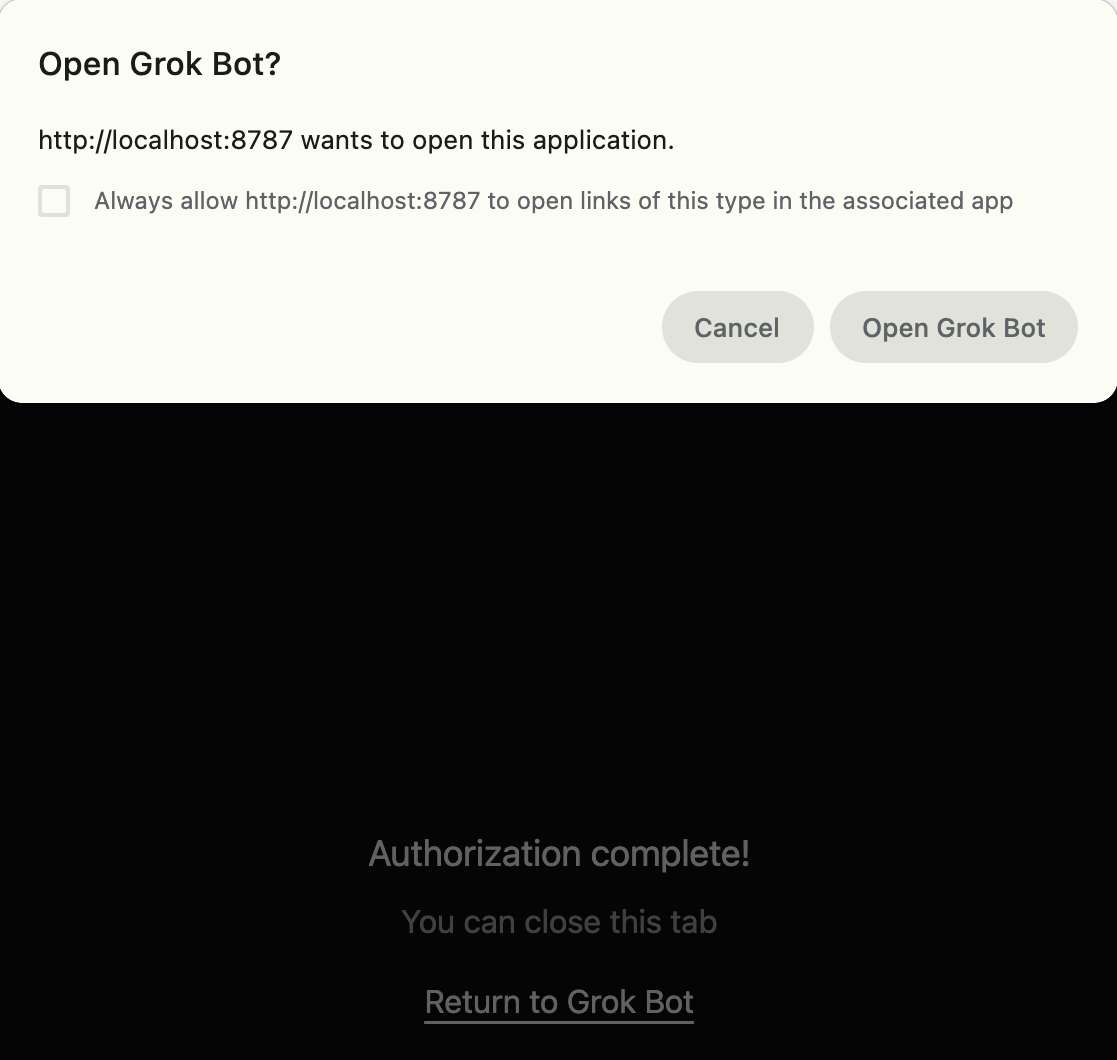
 You'll see **Authorization complete!** Click **Open Grok Bot** in the browser prompt, or **Return to Grok Bot**.
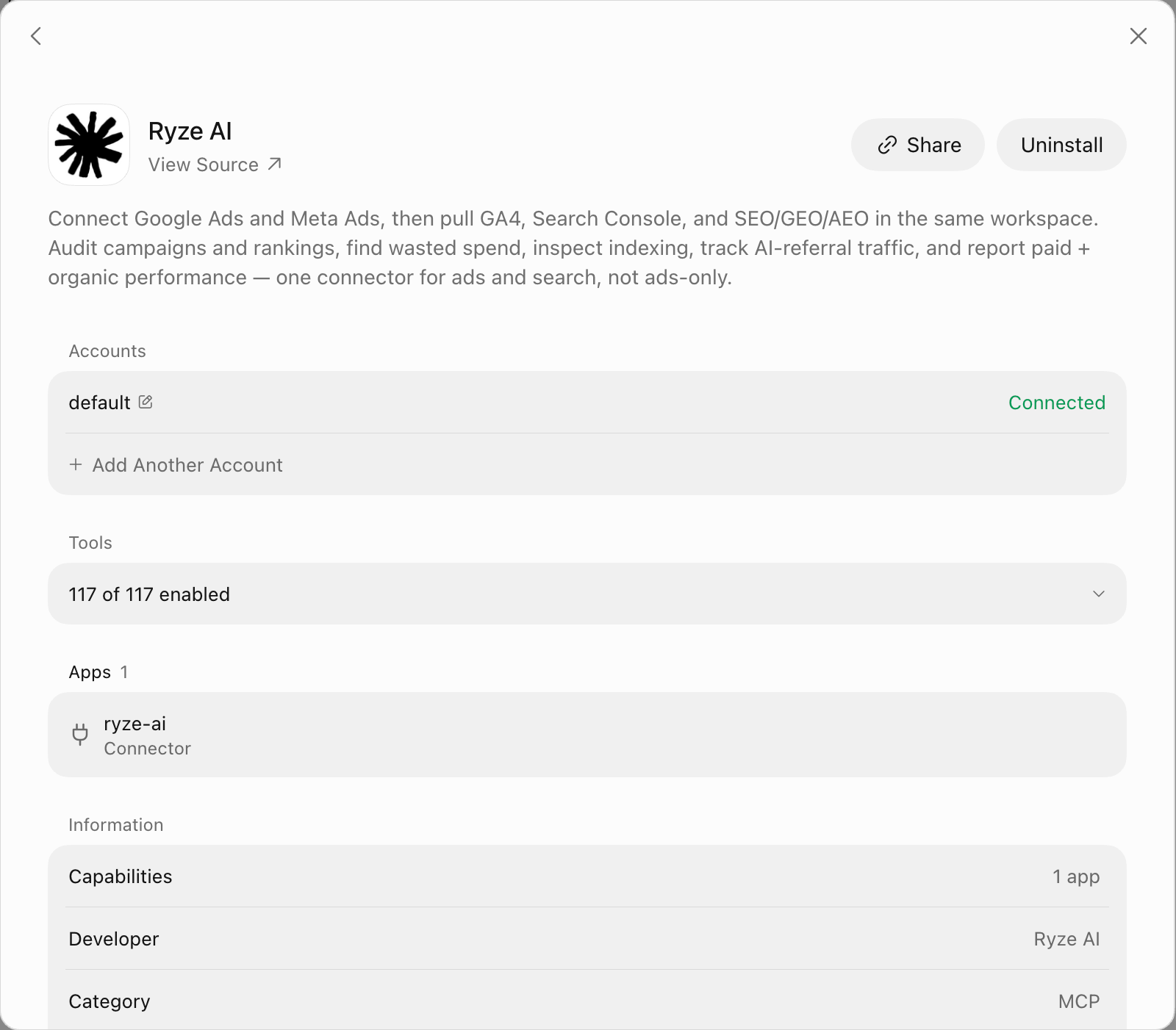
 The Ryze AI page in Grok Bot now shows your account as **Connected** and lists the Ryze tools Grok Bot can call.
 ## Try it
Start a **new chat** in Grok Bot and ask for what you want:
> Pull the last 7 days of Google Ads spend and break it down by campaign.
Grok Bot uses Ryze tools to answer.
Start a **new chat** after connecting or reconnecting. Existing chats may not pick up the connection.
## Added Ryze as a custom MCP server before?
You don't need it anymore. Uninstall the custom server and add **Ryze AI** from **Connect Apps** instead, so you don't have two copies of the same tools.
## Next steps
Control which actions the assistant can take on your accounts.
Link Google, Meta, Analytics and more.
Having trouble connecting? See the [FAQ](/claude/faq) or email [support@get-ryze.ai](mailto:support@get-ryze.ai).
This documentation is built and hosted on [Mintlify](https://mintlify.com), a developer documentation platform.
## Try it
Start a **new chat** in Grok Bot and ask for what you want:
> Pull the last 7 days of Google Ads spend and break it down by campaign.
Grok Bot uses Ryze tools to answer.
Start a **new chat** after connecting or reconnecting. Existing chats may not pick up the connection.
## Added Ryze as a custom MCP server before?
You don't need it anymore. Uninstall the custom server and add **Ryze AI** from **Connect Apps** instead, so you don't have two copies of the same tools.
## Next steps
Control which actions the assistant can take on your accounts.
Link Google, Meta, Analytics and more.
Having trouble connecting? See the [FAQ](/claude/faq) or email [support@get-ryze.ai](mailto:support@get-ryze.ai).
This documentation is built and hosted on [Mintlify](https://mintlify.com), a developer documentation platform.