> ## Documentation Index
> Fetch the complete documentation index at: https://help.get-ryze.ai/llms.txt
> Use this file to discover all available pages before exploring further.
# Connect Anthropic
> Bring your own Anthropic API key so chat runs on your account and skips AI credit charges.
You can connect your own **Anthropic API key** so that chat in Ryze runs on *your* Anthropic account instead of consuming Ryze AI credits. You pay Anthropic directly for the model usage, and Ryze stops charging AI credits for chat.
**Bring-your-own-key only covers chat. Agent mode and scheduled tasks WILL NOT work on your own key.**
Anything that runs autonomously — **Agent mode** and **scheduled tasks** — always runs on Ryze's infrastructure and is **billed in credits**, regardless of whether you've connected a key. A connected key changes how *chat* is billed, nothing else.
## What your key does (and doesn't) change
| Action | On your key | Billing |
| ---------------------------- | ------------------------------------ | ----------------------- |
| **Chat** | Yes — runs on your Anthropic account | Skips AI credit charges |
| **Tools called during chat** | Runs on Ryze | Still costs credits |
| **Agent mode** | No — runs on Ryze | Billed in credits |
| **Scheduled tasks** | No — runs on Ryze | Billed in credits |
So: chat model tokens come off your Anthropic bill; the tools the agent calls (and any autonomous runs) still draw down credits.
## Step 1 — Create an Anthropic API key
Go to [console.anthropic.com](https://console.anthropic.com/) and sign in (or sign up).
Under **API keys**, click **Create Key**, give it a name like `Ryze`, and copy it. You won't be able to see it again, so paste it somewhere safe.
Your Anthropic account needs billing set up with available balance — chat fails if the key has no funds.
## Step 2 — Connect in Ryze
Open the **Connect Anthropic** dialog, paste your key into the **API key** field, and click **Continue**.
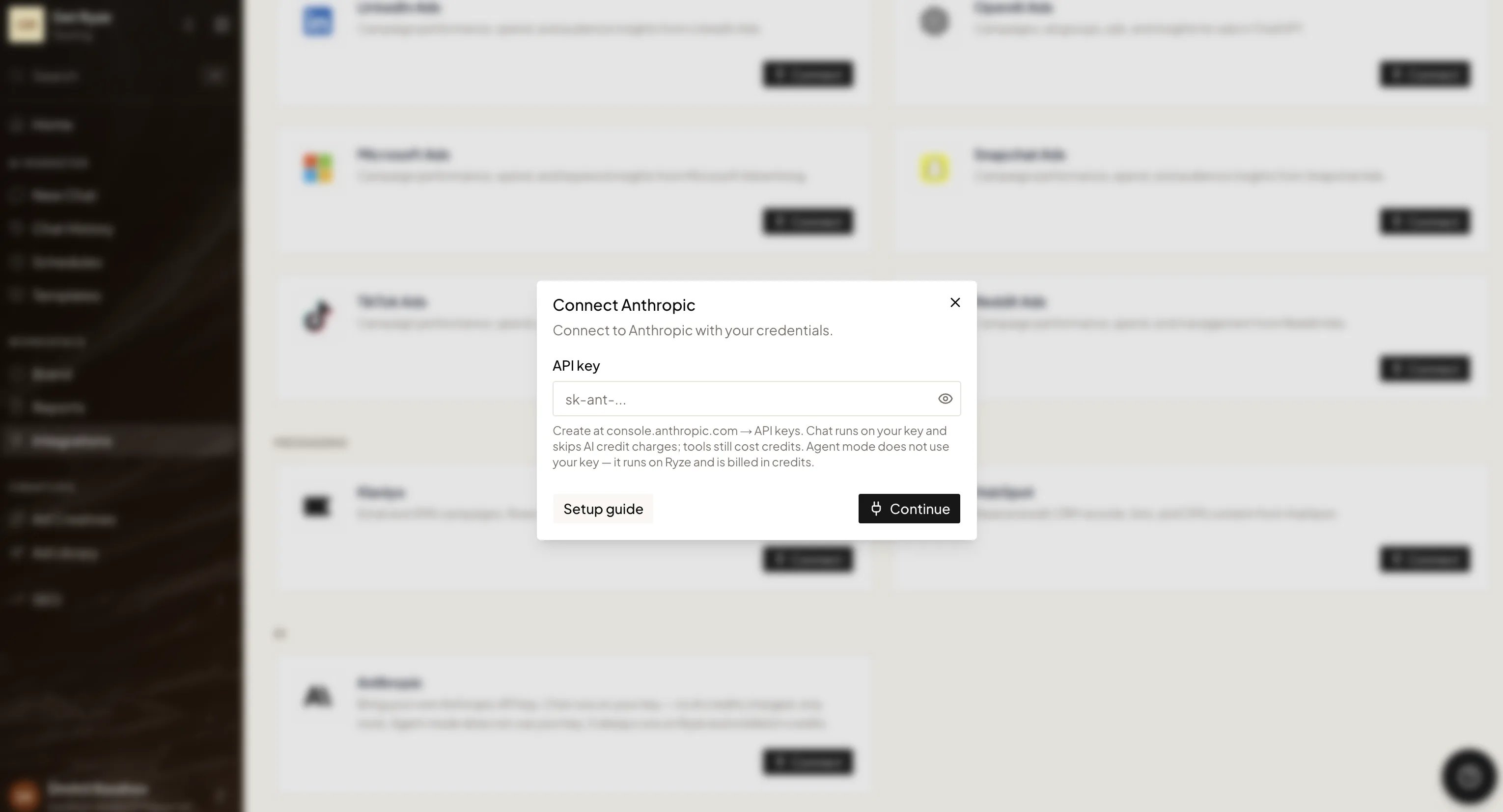 Once connected, chat runs on your key automatically — there's nothing else to switch on.
Your key is stored encrypted and used only to run your chat requests. You can disconnect it at any time; chat then falls back to running on Ryze credits.
Need help? Email [support@get-ryze.ai](mailto:support@get-ryze.ai).
Once connected, chat runs on your key automatically — there's nothing else to switch on.
Your key is stored encrypted and used only to run your chat requests. You can disconnect it at any time; chat then falls back to running on Ryze credits.
Need help? Email [support@get-ryze.ai](mailto:support@get-ryze.ai).