> ## Documentation Index
> Fetch the complete documentation index at: https://help.get-ryze.ai/llms.txt
> Use this file to discover all available pages before exploring further.
# Connect OpenAI Ads
> Connect OpenAI Ads with an API key.
OpenAI Ads connects with an **API key** you generate in the OpenAI Ads dashboard.
## Step 1 — Get your API key
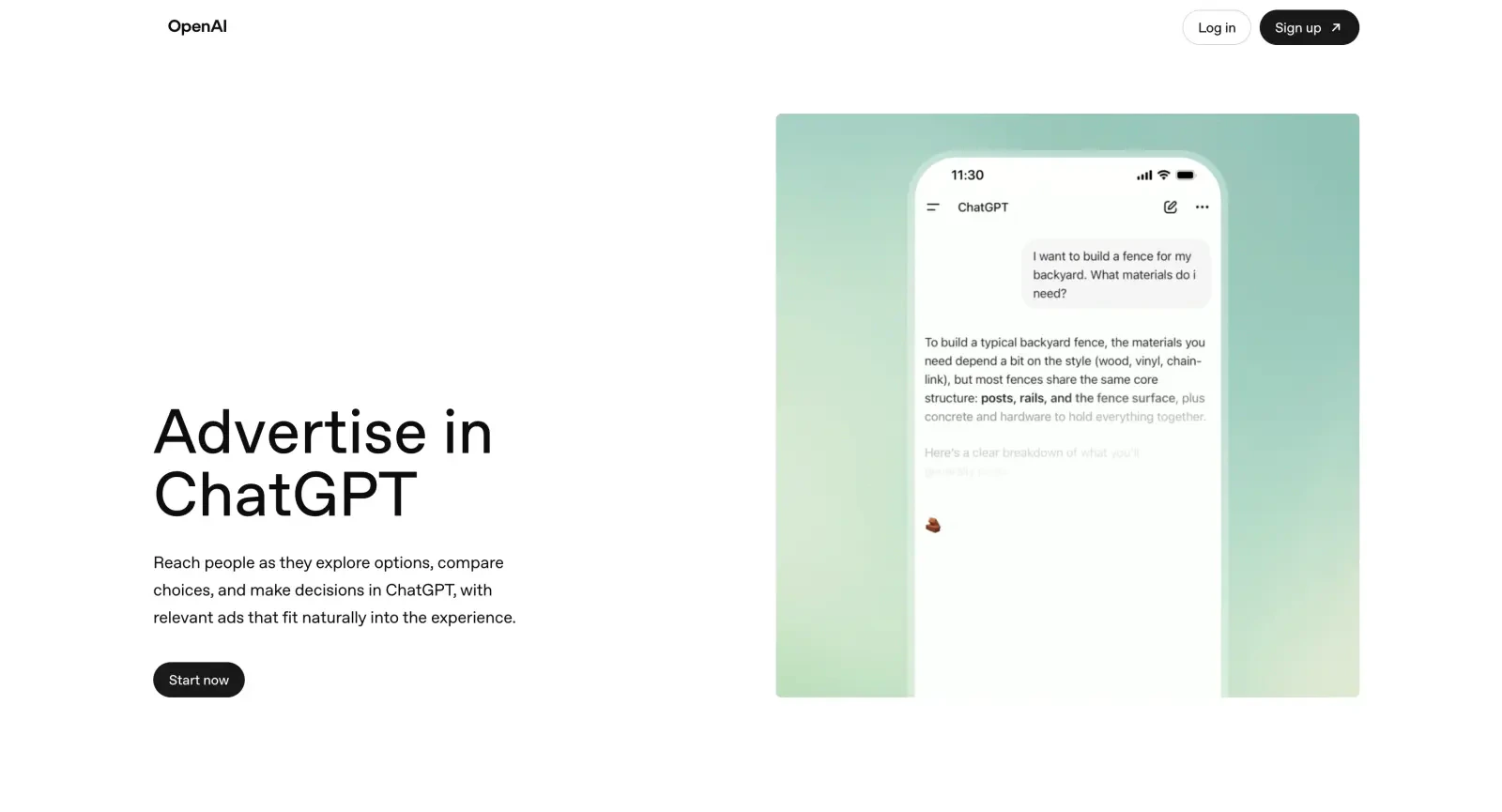
Go to [ads.openai.com](https://ads.openai.com/) and sign in (or sign up) to the Ads Manager.
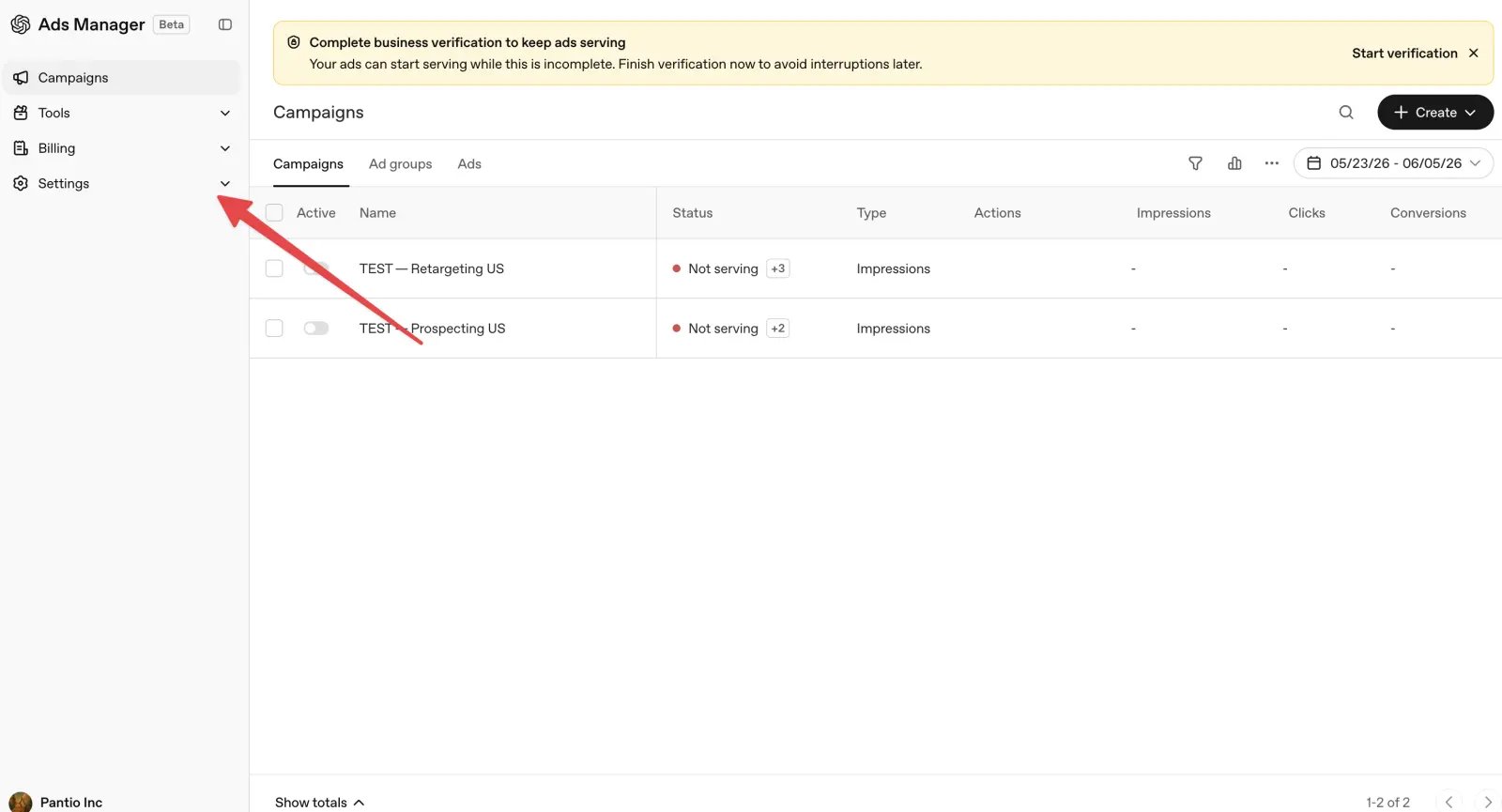
 In the Ads Manager, open **Settings** from the left menu.
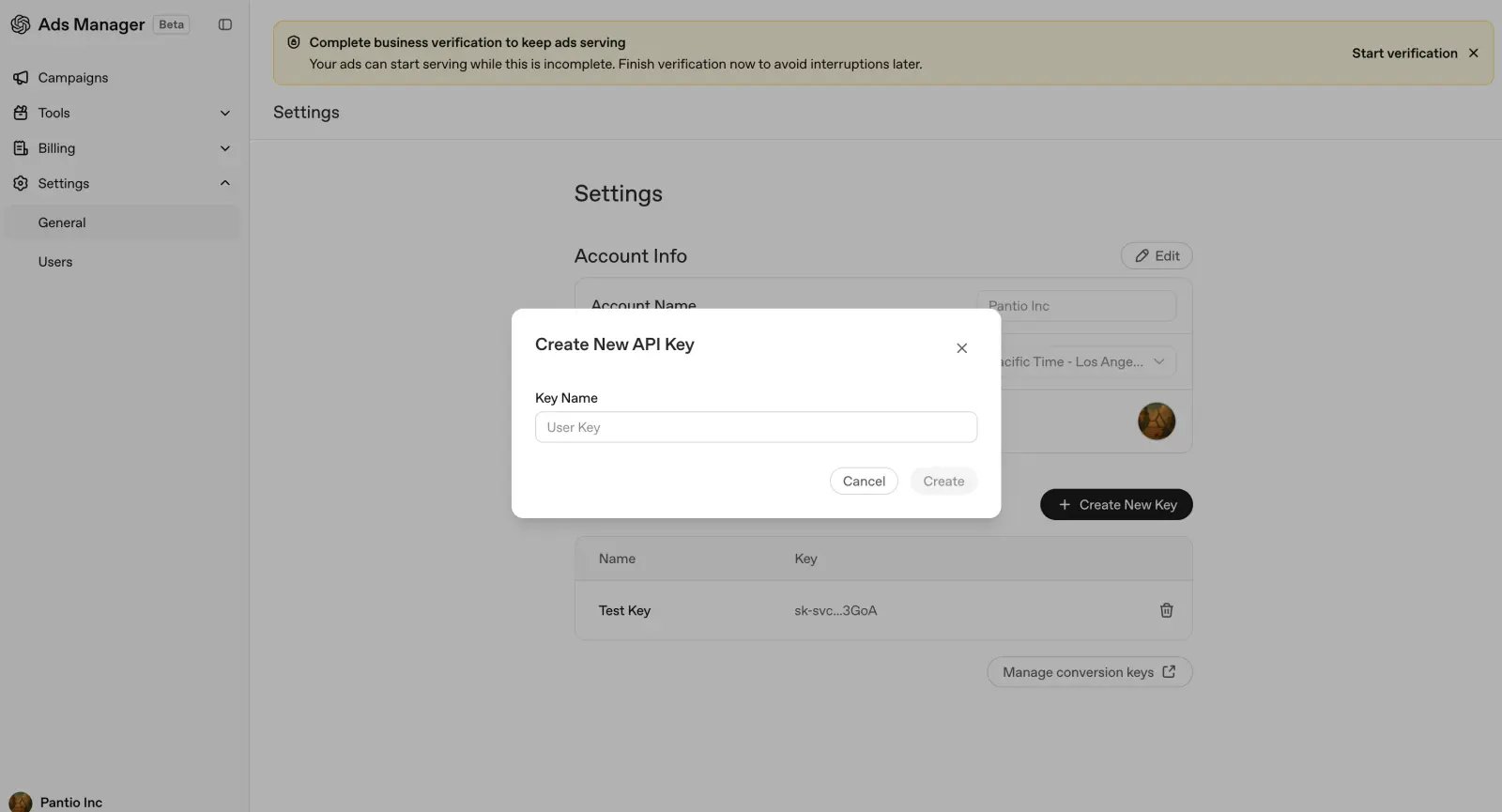
 Under **Settings → General → Account Info**, click **Create New Key**. Give it a name like `Ryze`, then click **Create**. Copy the key — you'll need it next.
 ## Step 2 — Connect in Ryze
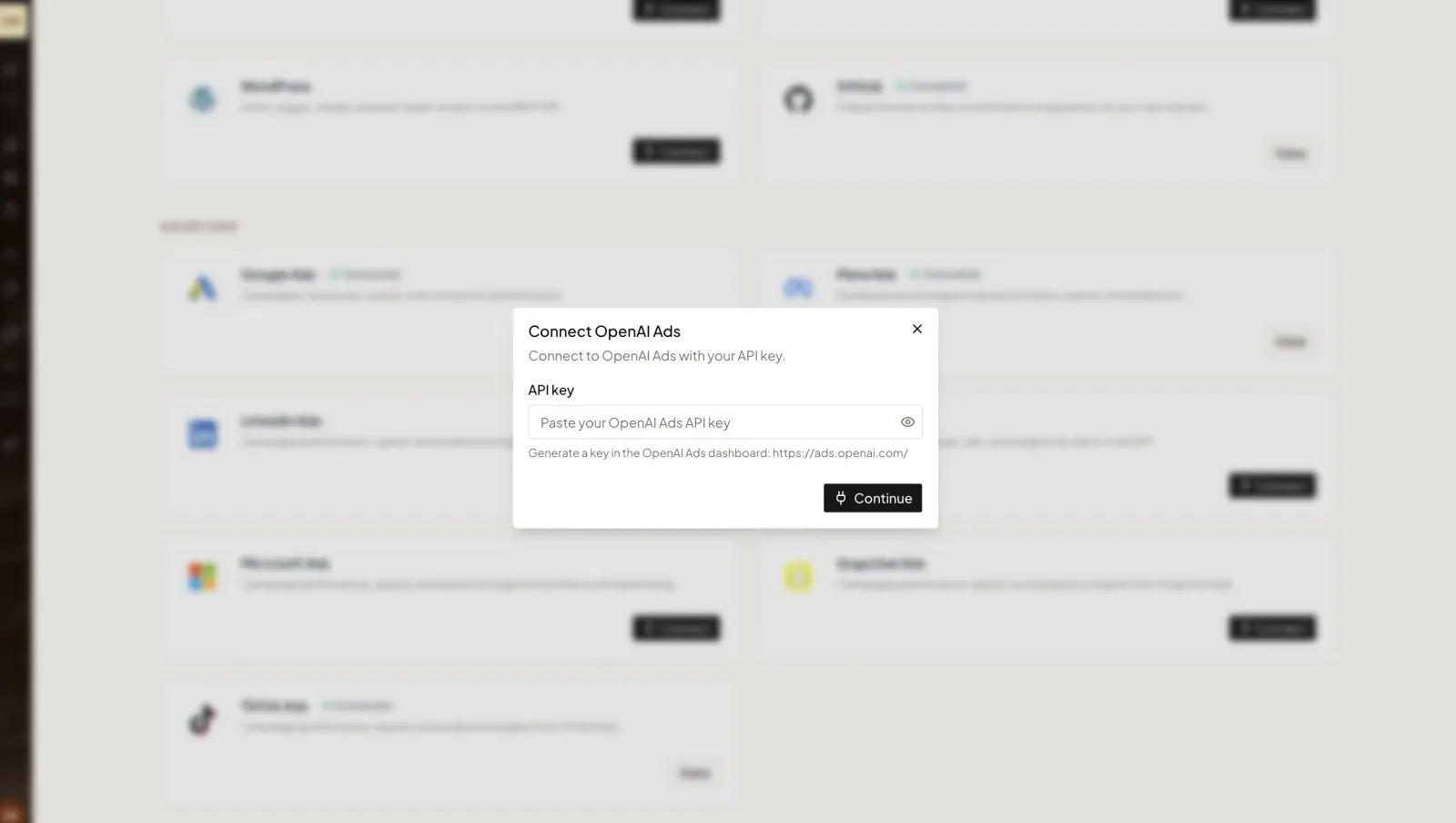
In **Workspace Settings → Integrations**, click **Connect** on the OpenAI card and paste your API key, then click **Continue**.
## Step 2 — Connect in Ryze
In **Workspace Settings → Integrations**, click **Connect** on the OpenAI card and paste your API key, then click **Continue**.
 Need help? Email [support@get-ryze.ai](mailto:support@get-ryze.ai).