> ## Documentation Index
> Fetch the complete documentation index at: https://help.get-ryze.ai/llms.txt
> Use this file to discover all available pages before exploring further.
# Backlink Exchange
> Reciprocal link building across the Ryze network — as your articles publish, they place relevant partner links from other sites, and those sites link back to you.
Backlink Exchange is how Ryze builds links between the sites in its network. As your programmatic articles publish, Ryze places a relevant link to a partner site inside the body — and that partner's articles place a link back to you. It runs automatically, with no outreach on your end.
## How it works
* **Paced, not on every post.** Ryze adds at most one exchange link for roughly every **40 articles** you publish — it drips out, so your content never reads like a link farm.
* **One link, buried in real content.** When it does place a link, it's a single outbound link in the **second half** of the article, woven into a sentence that already makes a point — never a "useful resource" footnote, and never in the intro.
* **Only when it genuinely fits.** Most articles get no exchange link at all. Ryze places one only when a real, relevant partner exists — a forced link hurts both sites, so it would rather place nothing.
* **It doesn't touch your own links.** The exchange link is extra — it never counts against or crowds out the article's internal links.
## How partners are matched
Matching is strict. A partner is only picked if a reader of *that specific article* would actually click through to it for more on the topic — an adjacent niche, an alternative they're weighing, or something genuinely useful to the subject.
Ryze **never** matches:
* **Direct competitors** — and once flagged, you're never matched with them again (including the same brand on another domain).
* **Your own other workspaces** — links never bounce around inside your own account.
* **On shared geography or industry alone** — "both in Australia" or "both in finance" isn't relevance.
* **A business you might sell to** — a sales lead is not a link your reader clicks.
## Who takes part
Only contributing sites are matched — a workspace needs a **connected store** and an **active plan** to both give and receive exchange links. That keeps the network made of real, live sites rather than empty ones. Sites that have received fewer links surface first, so placements spread evenly instead of piling onto a few domains.
## Turning it off
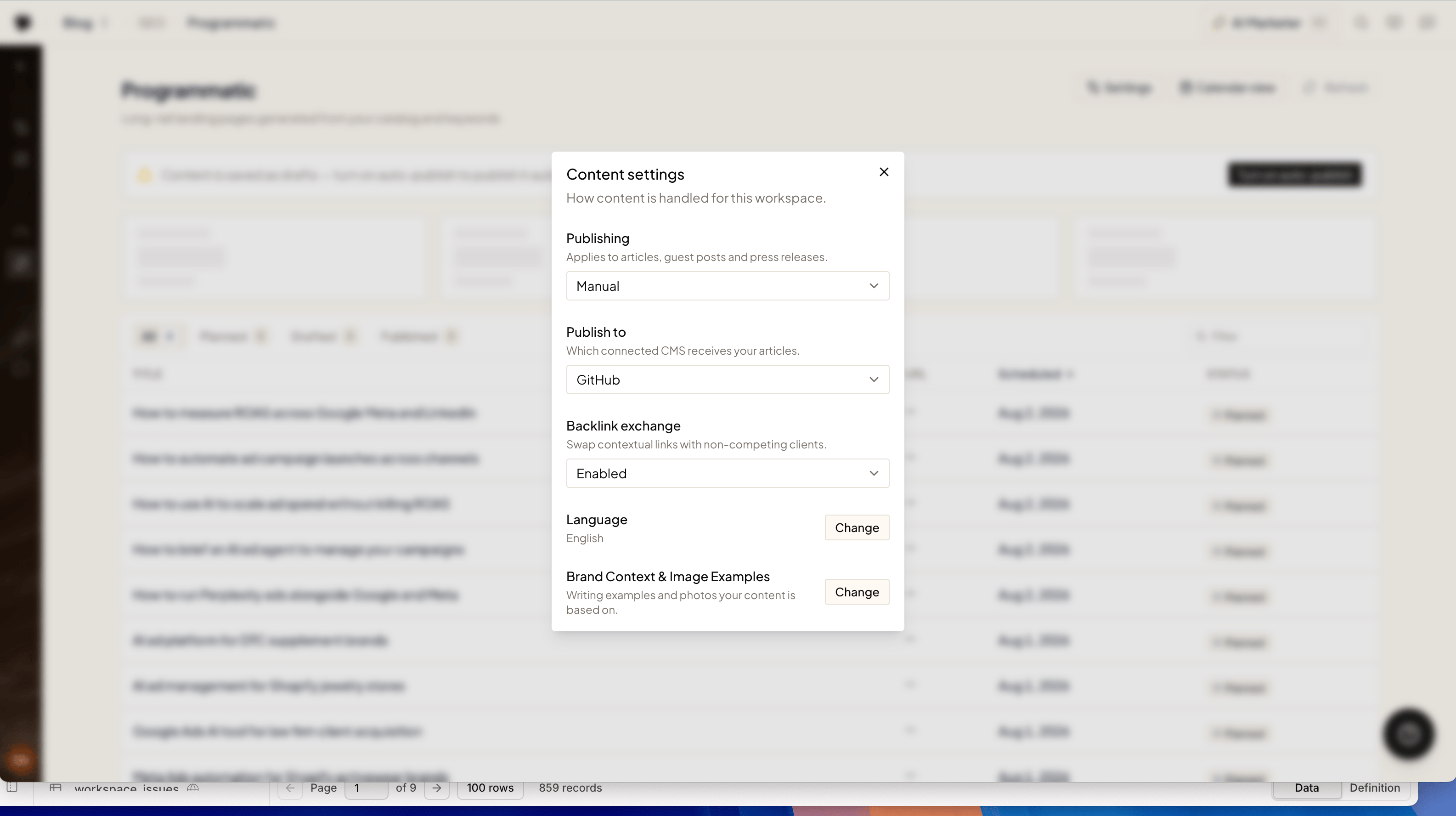
Backlink Exchange is on by default. To opt a workspace out, open **Content settings** and set **Backlink exchange** to disabled — Ryze stops placing exchange links for that workspace, in both directions.
 ## Related
Every link Ryze builds, tracked over time.
The articles exchange links are placed in.
## Related
Every link Ryze builds, tracked over time.
The articles exchange links are placed in.