> ## Documentation Index
> Fetch the complete documentation index at: https://help.get-ryze.ai/llms.txt
> Use this file to discover all available pages before exploring further.
# On-Page Fixes
> Ryze crawls your site, surfaces the technical and GEO issues holding you back, and an agent ships the fixes for you.
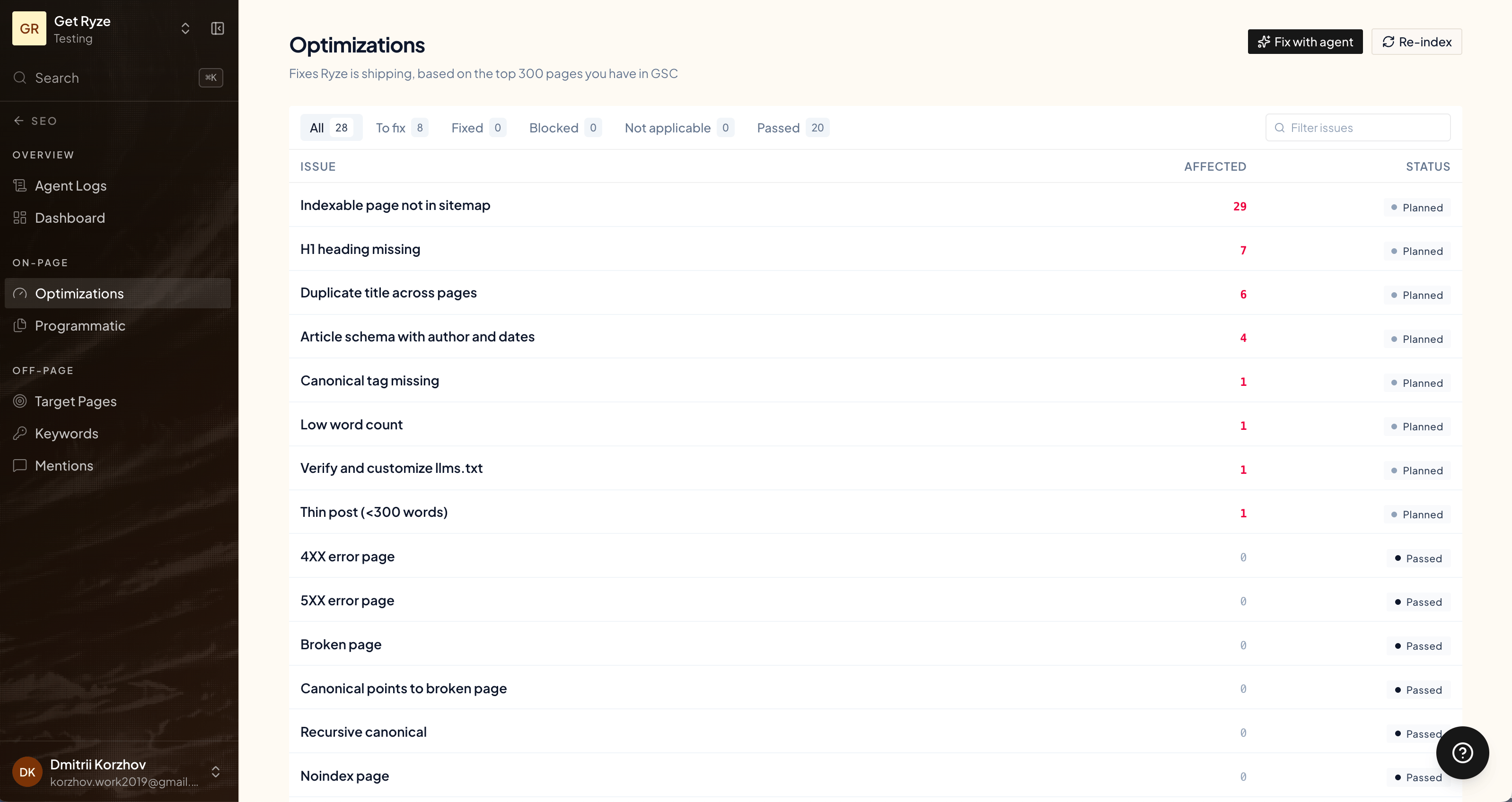
Optimizations are the on-page fixes Ryze finds and ships. It crawls your site, detects what's hurting your rankings, and an agent applies the fix — you don't have to touch code.
Find them under **Optimizations** in the SEO sidebar. Issues are detected across the top 300 pages in your Google Search Console.
 ## Two kinds of fixes
* **SEO Optimization (technical)** — classic on-page issues: meta tags, headers, crawlability, and other technical fixes for your store.
* **GEO Optimization** — fixes that improve how AI engines (ChatGPT, Claude, Perplexity) read and cite your site.
## Run a crawl
Click **Run crawl** to scan your site and surface issues. It takes a few minutes — you can close the page while it works. Detected issues land in the list, grouped by type and showing how many URLs each one affects.
## Fix with the agent
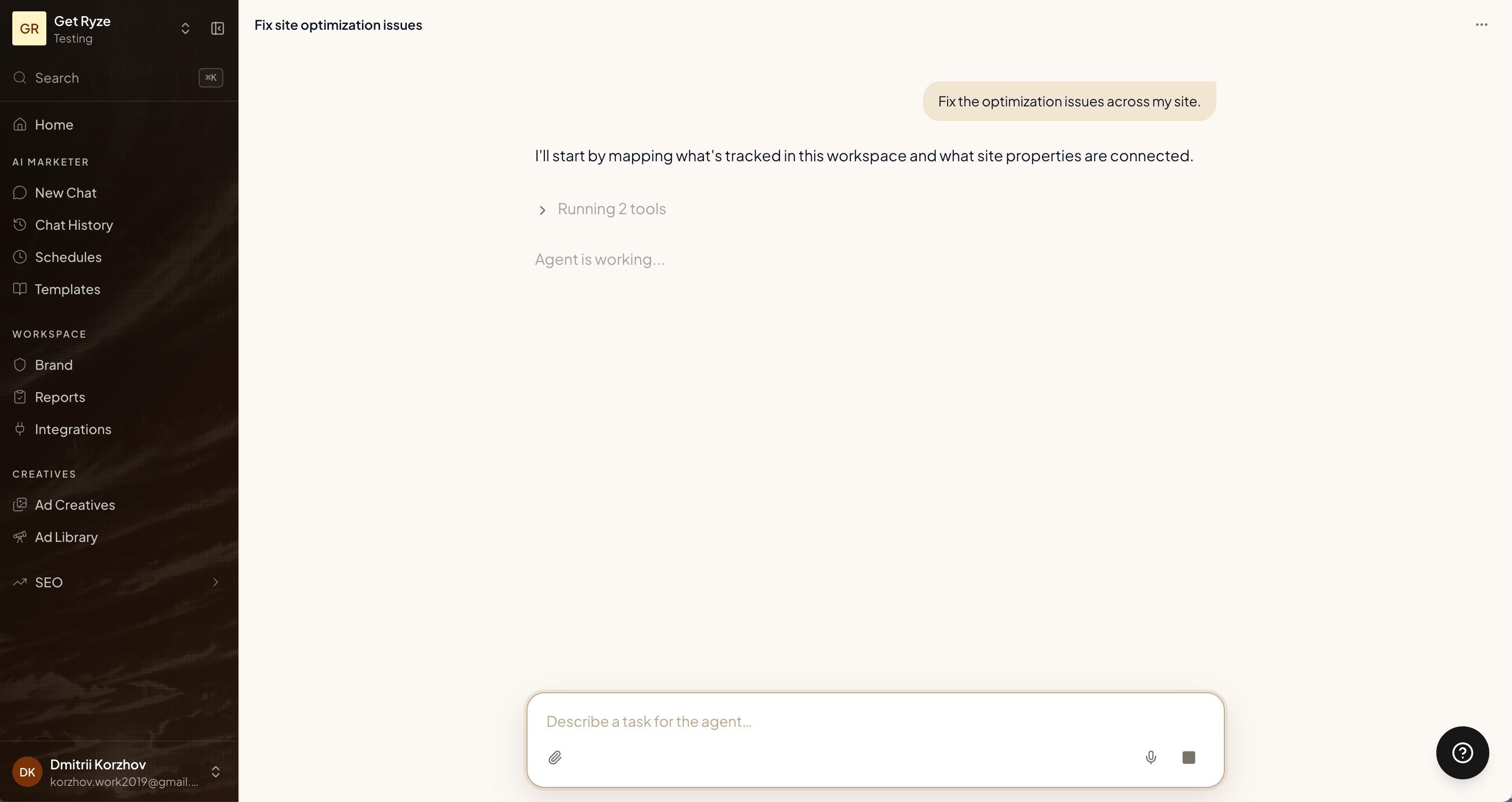
Each issue has a **Fix with agent** button. Click it and the agent applies the fix for you, across the affected URLs — no manual editing.
## Two kinds of fixes
* **SEO Optimization (technical)** — classic on-page issues: meta tags, headers, crawlability, and other technical fixes for your store.
* **GEO Optimization** — fixes that improve how AI engines (ChatGPT, Claude, Perplexity) read and cite your site.
## Run a crawl
Click **Run crawl** to scan your site and surface issues. It takes a few minutes — you can close the page while it works. Detected issues land in the list, grouped by type and showing how many URLs each one affects.
## Fix with the agent
Each issue has a **Fix with agent** button. Click it and the agent applies the fix for you, across the affected URLs — no manual editing.
 Issues move through clear states, available as tabs:
| Tab | Meaning |
| ------------------ | --------------------------------- |
| **To fix** | Detected and waiting for a fix. |
| **Fixed** | The agent has shipped the fix. |
| **Passed** | No problem found — nothing to do. |
| **Blocked** | Couldn't be fixed automatically. |
| **Not applicable** | Doesn't apply to your site. |
You can also **Export CSV** of the issue list, or **Re-index** a page to ask Google to re-crawl it after a fix.
## Related
The other half of on-page: content.
Where fixes sit in the engine.
Issues move through clear states, available as tabs:
| Tab | Meaning |
| ------------------ | --------------------------------- |
| **To fix** | Detected and waiting for a fix. |
| **Fixed** | The agent has shipped the fix. |
| **Passed** | No problem found — nothing to do. |
| **Blocked** | Couldn't be fixed automatically. |
| **Not applicable** | Doesn't apply to your site. |
You can also **Export CSV** of the issue list, or **Re-index** a page to ask Google to re-crawl it after a fix.
## Related
The other half of on-page: content.
Where fixes sit in the engine.