

Read vs write tools
Ryze tools come in two kinds:- Read-only tools — pull data (spend, ROAS, reports, keywords). Safe; nothing changes in your accounts.
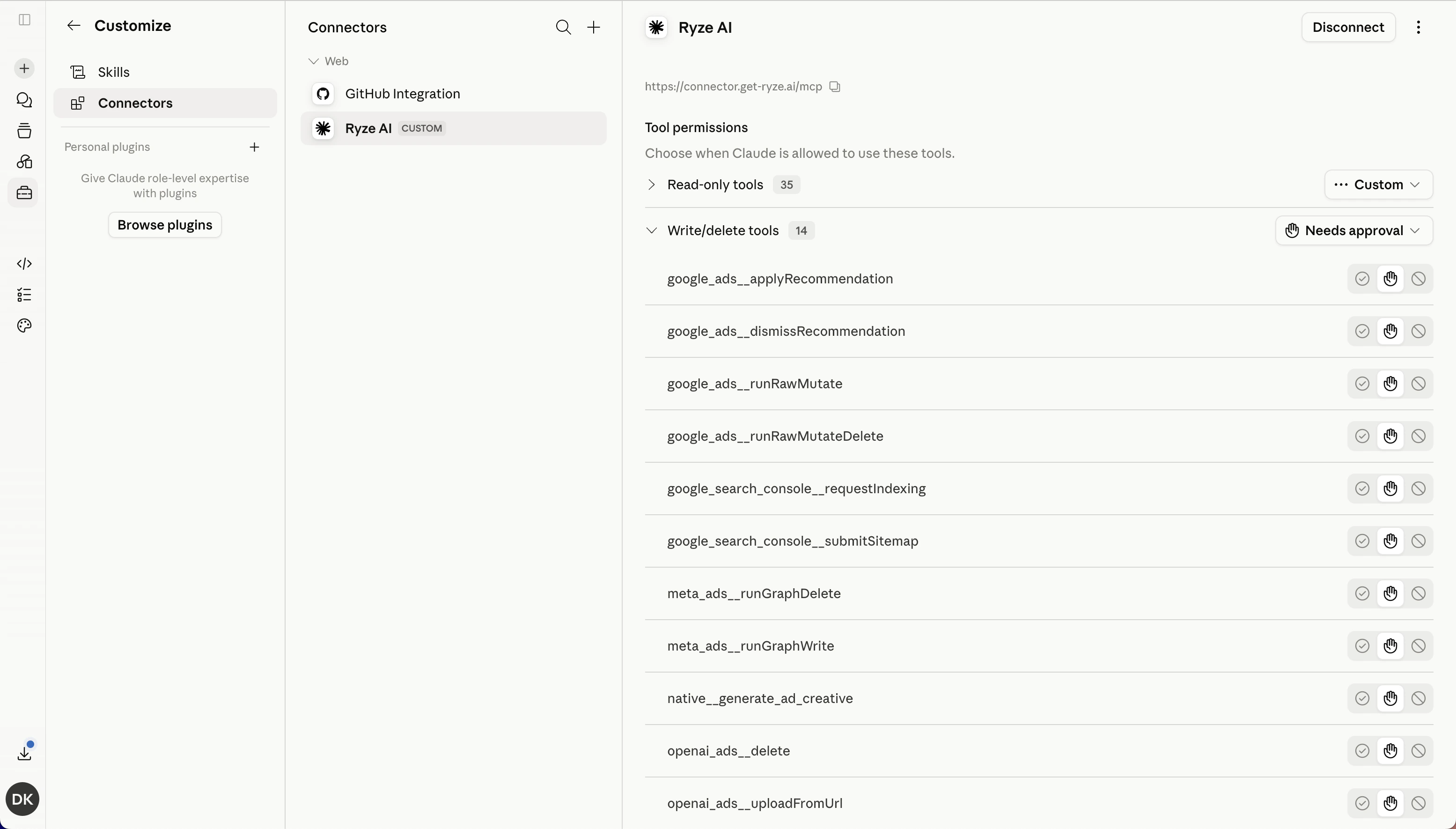
- Write / delete tools — make changes (create or edit campaigns, apply recommendations, generate creatives). These can affect live accounts.
Set approval per tool
In Claude, open Settings → Connectors → Ryze AI. Under Tool permissions you can:- Leave read-only tools on automatic — they just run.
- Set write / delete tools to Needs approval, so Claude asks before it changes anything.
Disconnecting
To revoke access entirely, open Settings → Connectors → Ryze AI in Claude and click Disconnect. Claude immediately loses access to every workspace and tool.Related
Connect Ryze to Claude
Set up the connector in 90 seconds.
FAQ
Common connection questions.