

What is the primary account?
When a platform has more than one connected account, one of them is the primary. The primary is the account Claude uses by default when you don’t name a specific one. You can change it at any time, and you can still ask Claude to use any of the other accounts (see Using a specific account in Claude). A platform with a single connected account doesn’t need a primary — that account is always used.Add an account
1
Open the platform
Go to Workspace Settings → Integrations and click View on the connected platform’s card.
2
Click Add account
Click + Add account and authorize the other login (OAuth) or enter its credentials (API-key platforms). The new account is added alongside the existing ones — nothing is overwritten.
3
Pick its property
Choose the property or ad account for the new connection, then click Save. Each account keeps its own selection.
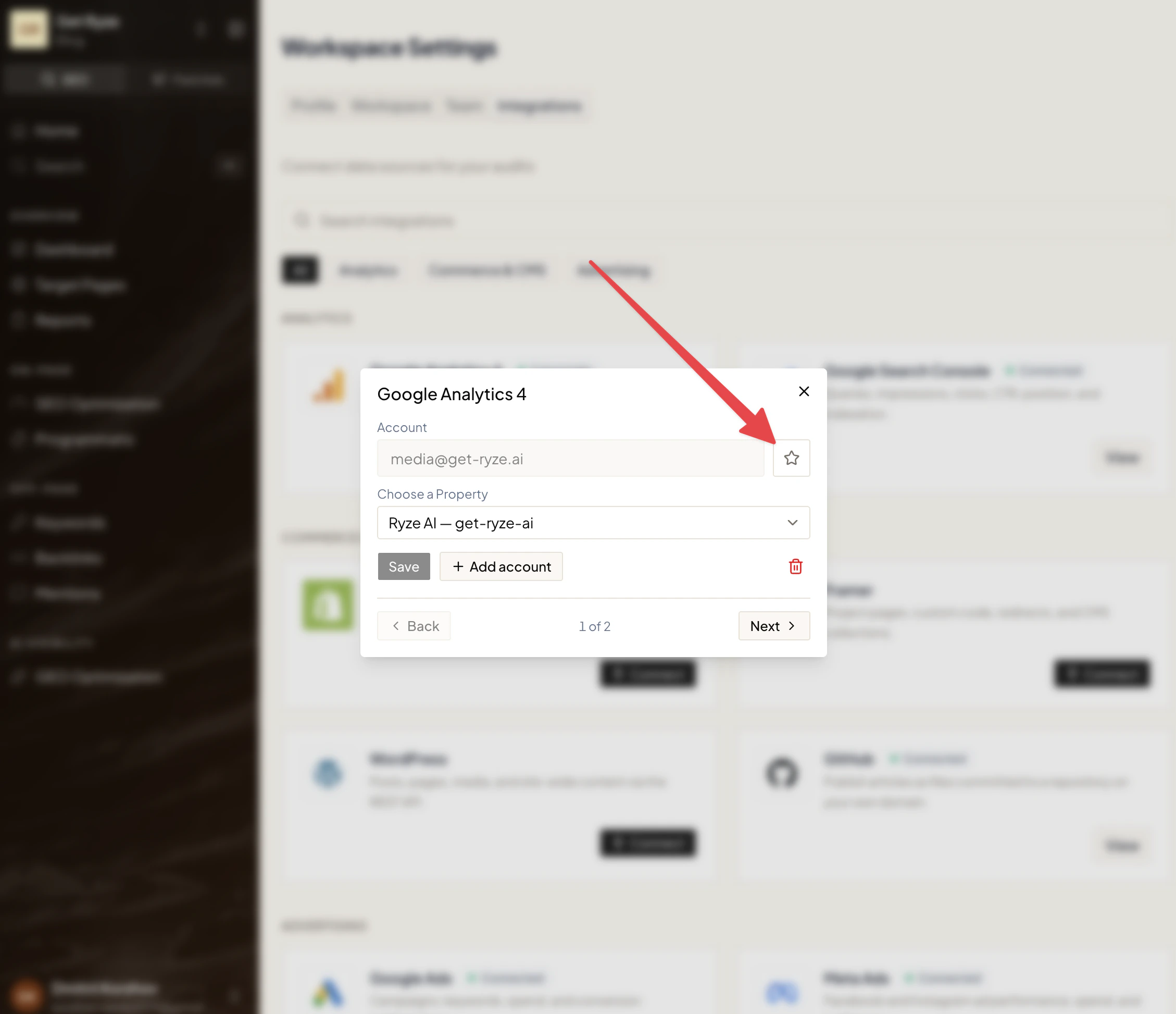
Set the primary account
Next to the account field is a star:- A filled star marks the current primary.
- An empty star means that account isn’t primary — click it to make it the primary.
Agent default accounts
For platforms where you manage many accounts — an agency running dozens of clients through one Google Search Console or Google Ads login — you can pick which accounts the Ryze agent works with by default. Open the platform’s dialog and use Agent default accounts to select them.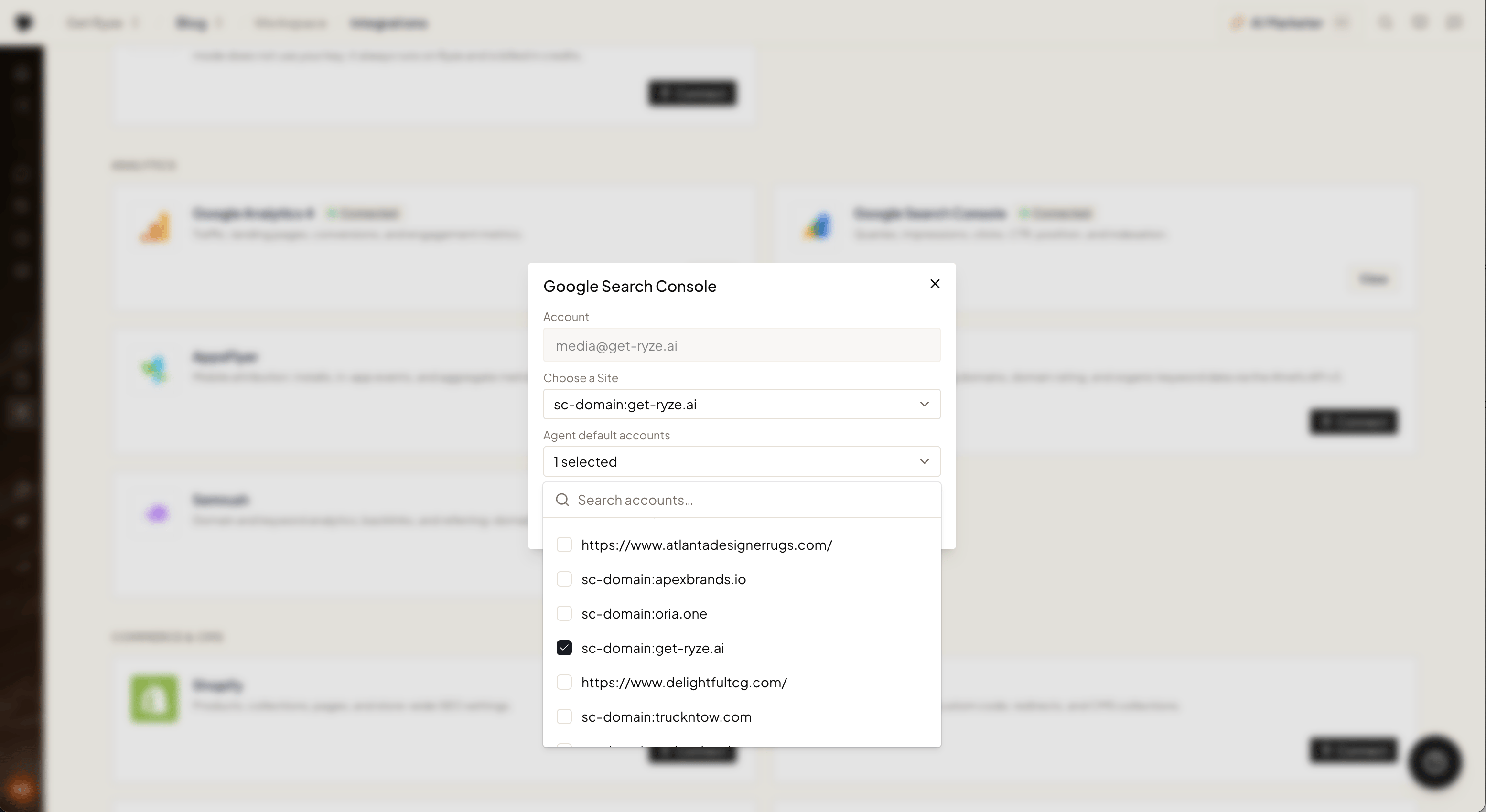
- When you don’t name an account, the agent uses your defaults instead of guessing across everything it can see.
- All other accounts stay reachable — just name one in chat and the agent switches to it.
- Selecting all accounts (or none) means no filter: the agent considers everything.
Using a specific account in Claude
By default Claude uses the primary account. To work with another one, just ask — no setup required:You: Claude, show my connected Google Analytics accounts.
You: Pull last week’s spend for my other Google Ads account.Claude lists the connected accounts and uses the one you point to.