

Create a workspace
1
Open the workspace switcher
Click the workspace name at the top-left, then choose Create new workspace.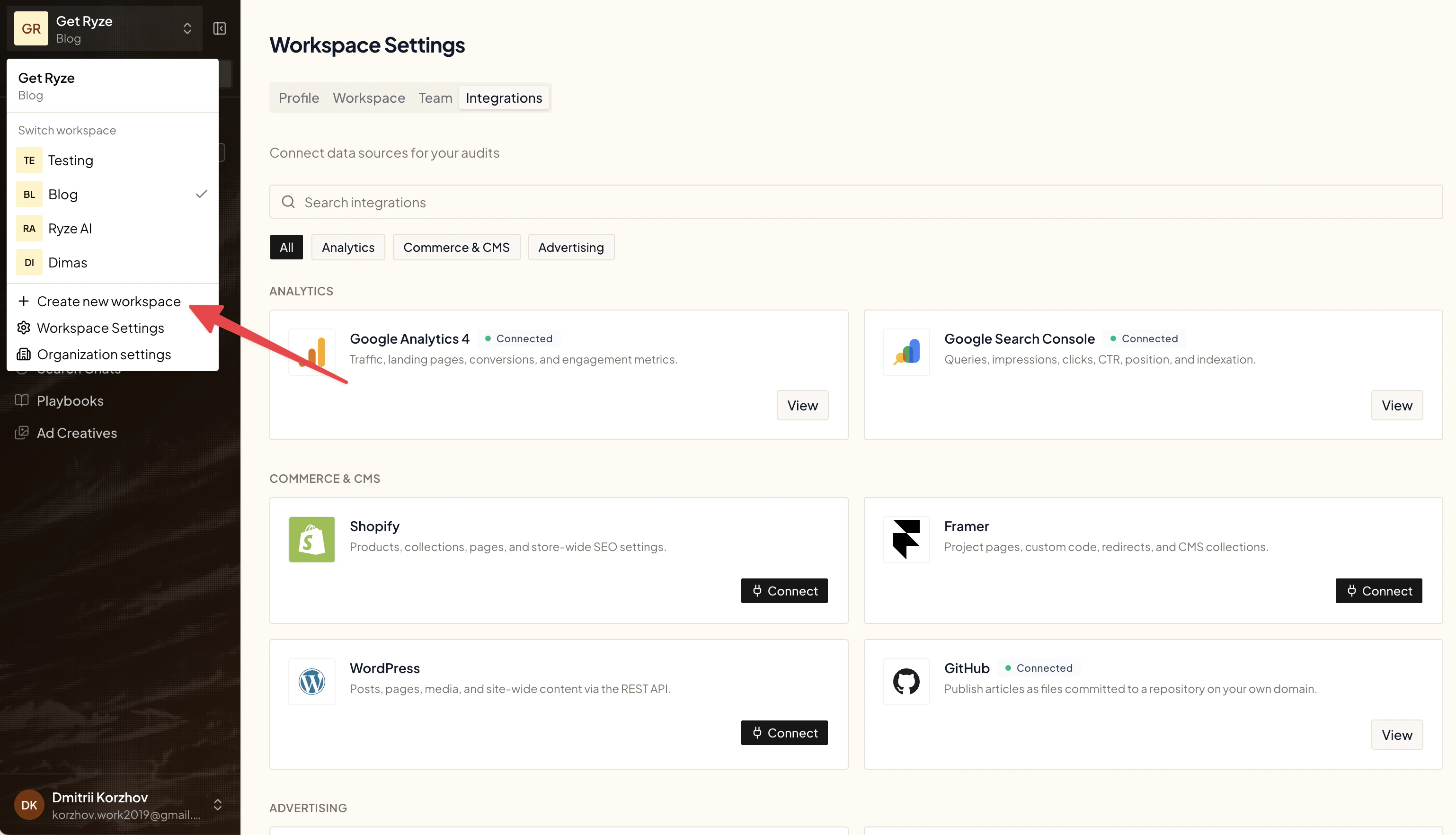
2
Fill in the details
Enter a Name, the Domain, an optional Description, and a Location. Tick Copy integrations to reuse connections from your current workspace.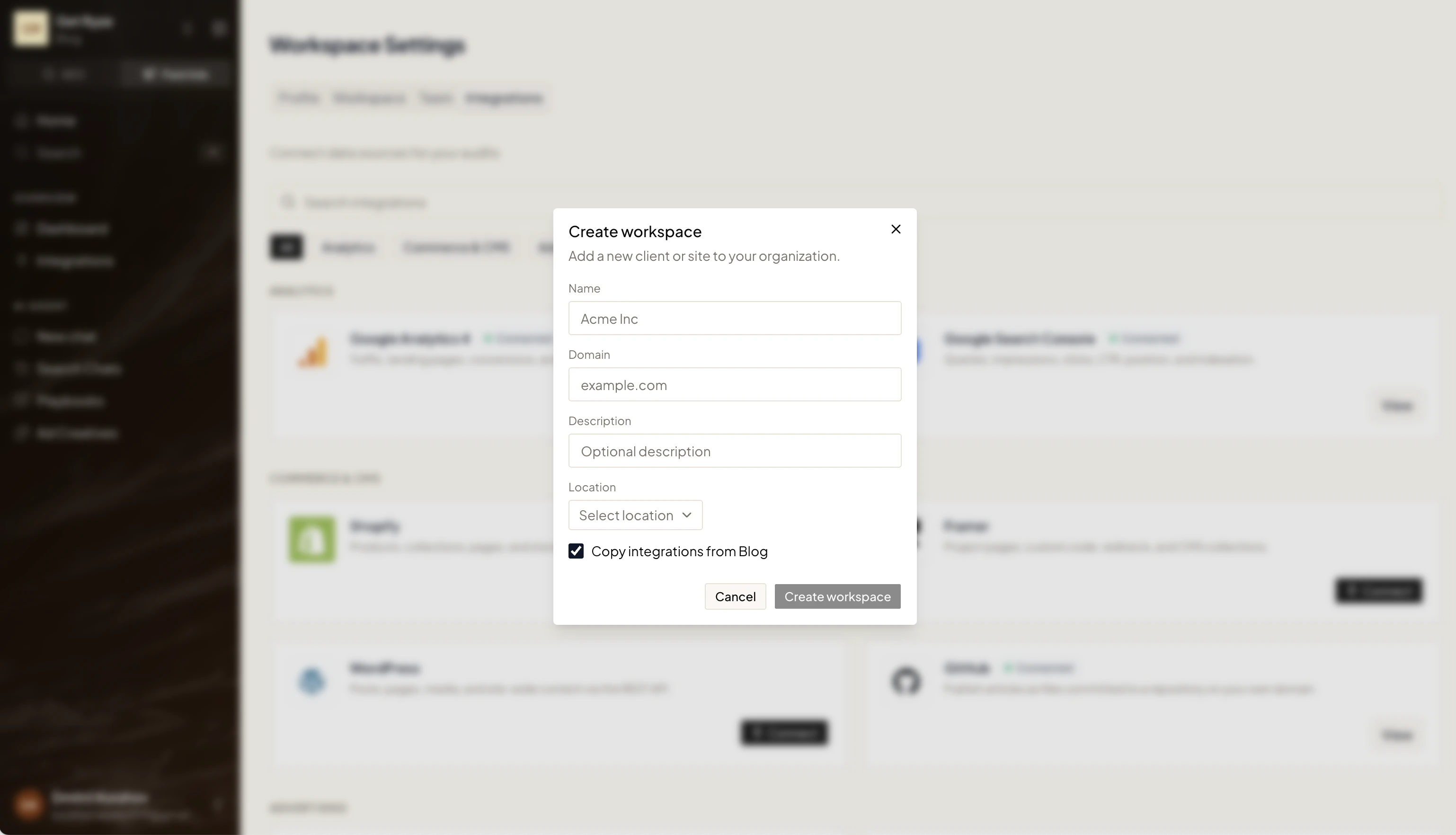
3
Create
Click Create workspace. Ryze reads your site to learn your business, catalog, and market.
Switching workspaces
Use the same switcher at the top-left to move between workspaces. Each one keeps its own connections, settings, and data.Next steps
Workspace Settings
Name, domain, location, and brand voice.
Connect Your Platforms
Link Google, Meta, Analytics, and more.