

Invite a teammate
1
Open the Team tab
Go to Workspace Settings → Team.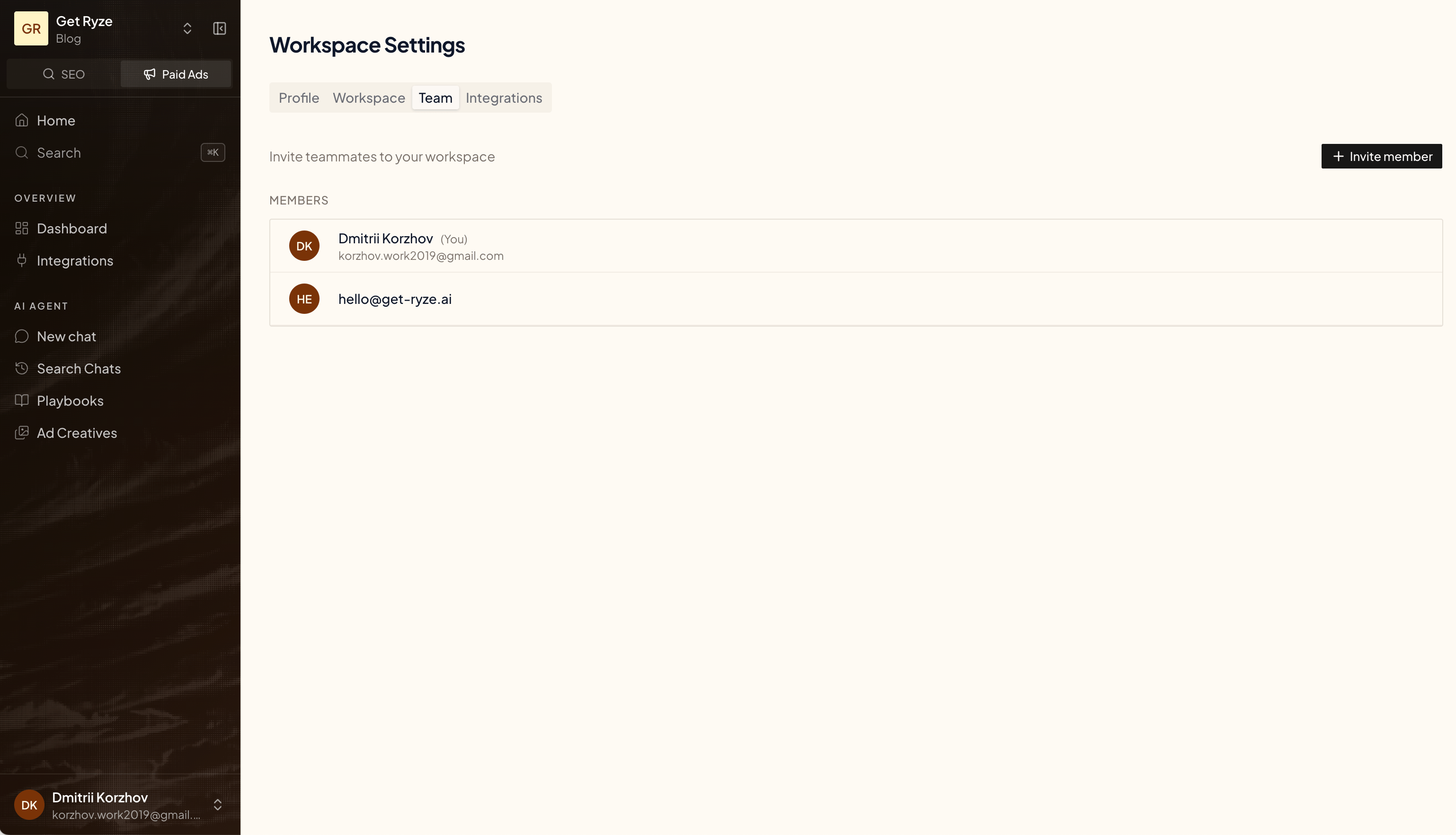
2
Click Invite member
Click Invite member at the top-right.
3
Enter their email
Type their email and click Send invite. They’ll get an email with a sign-in link.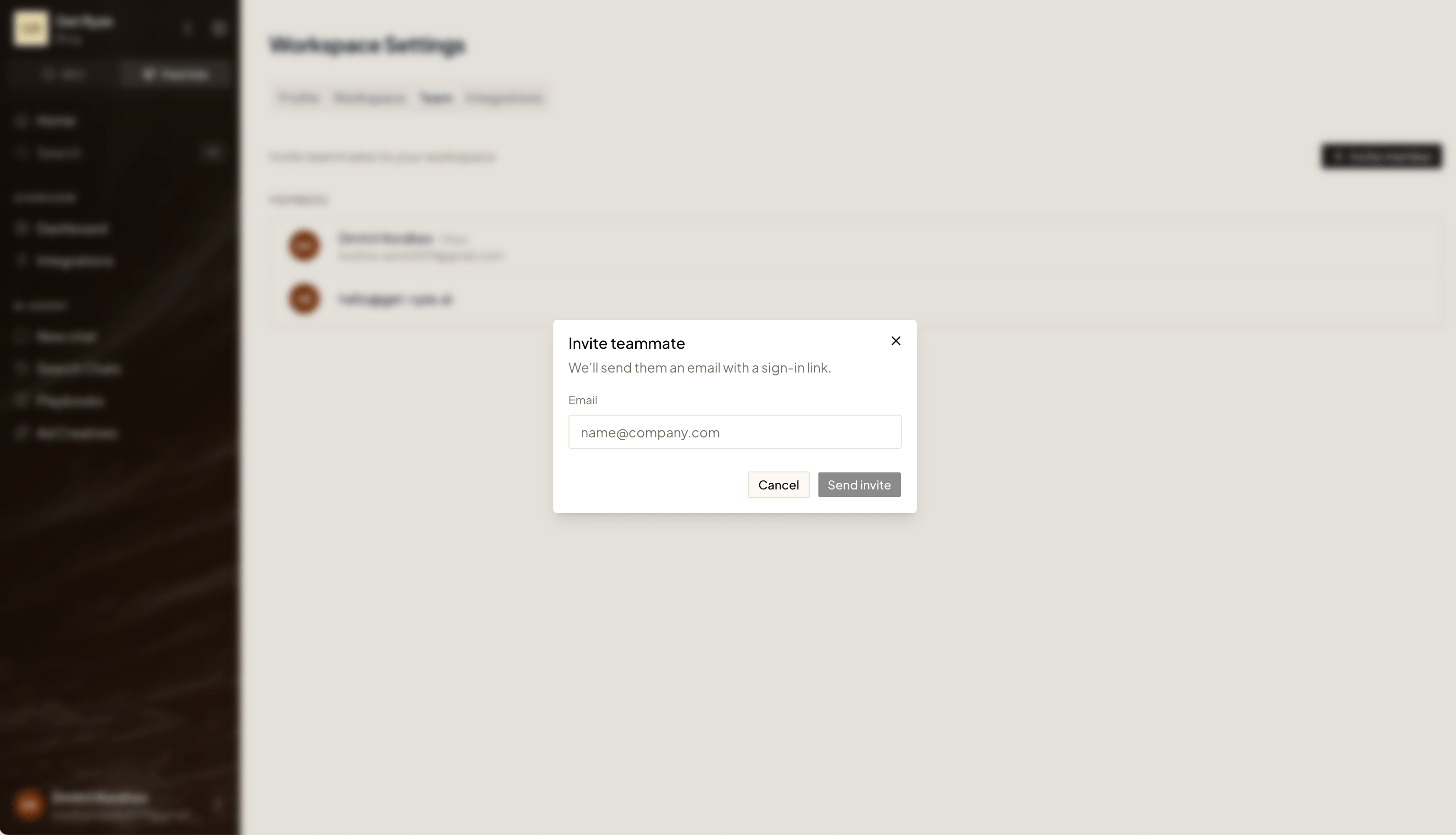
Add team members to your workspace.
Open the Team tab
Click Invite member
Enter their email