

You need access to the Criteo Developer Portal with your Criteo account. The credentials are scoped to the advertisers your app is consented to — Ryze can only see and manage what you grant.
Step 1 — Create an app and generate credentials
1
Open the Developer Portal
Go to partners.criteo.com and sign in with your Criteo account.
2
Create an app
In My apps, click + to create a new app and name it 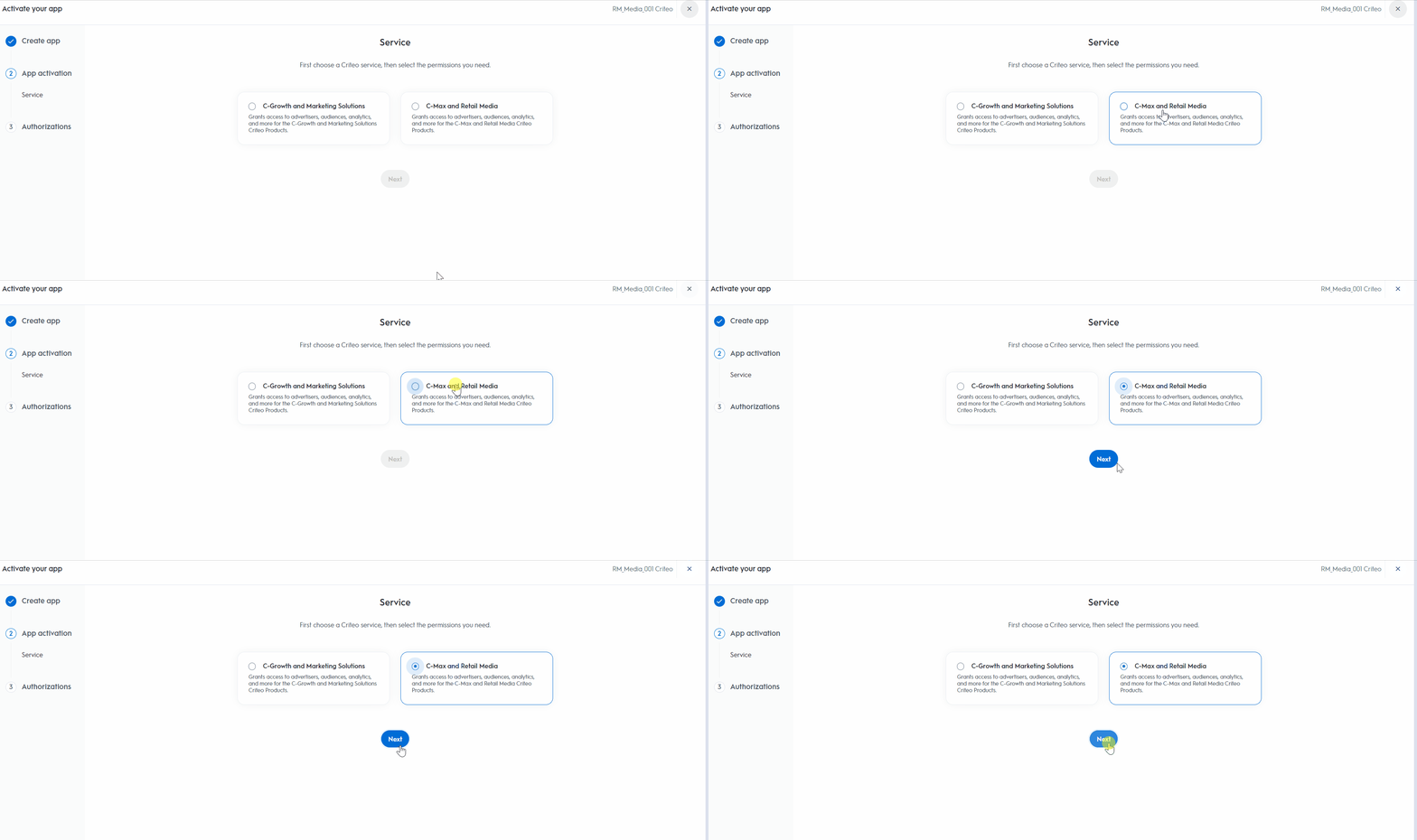
Ryze. During activation, choose the C-Growth and Marketing Solutions service and grant read and manage permissions for campaigns and analytics.3
Pick Client Credentials
On the authentication method step, select Client credentials — it is built for a single Criteo client connecting its own data.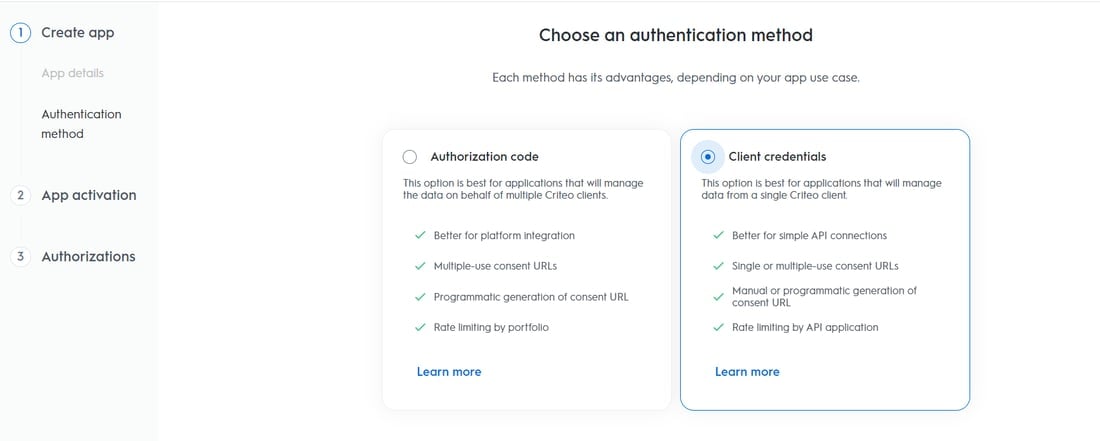
4
Consent the app to your advertisers
On the app page, click Generate new URL to create a consent link, open it, and approve access for the advertiser accounts you want Ryze to manage.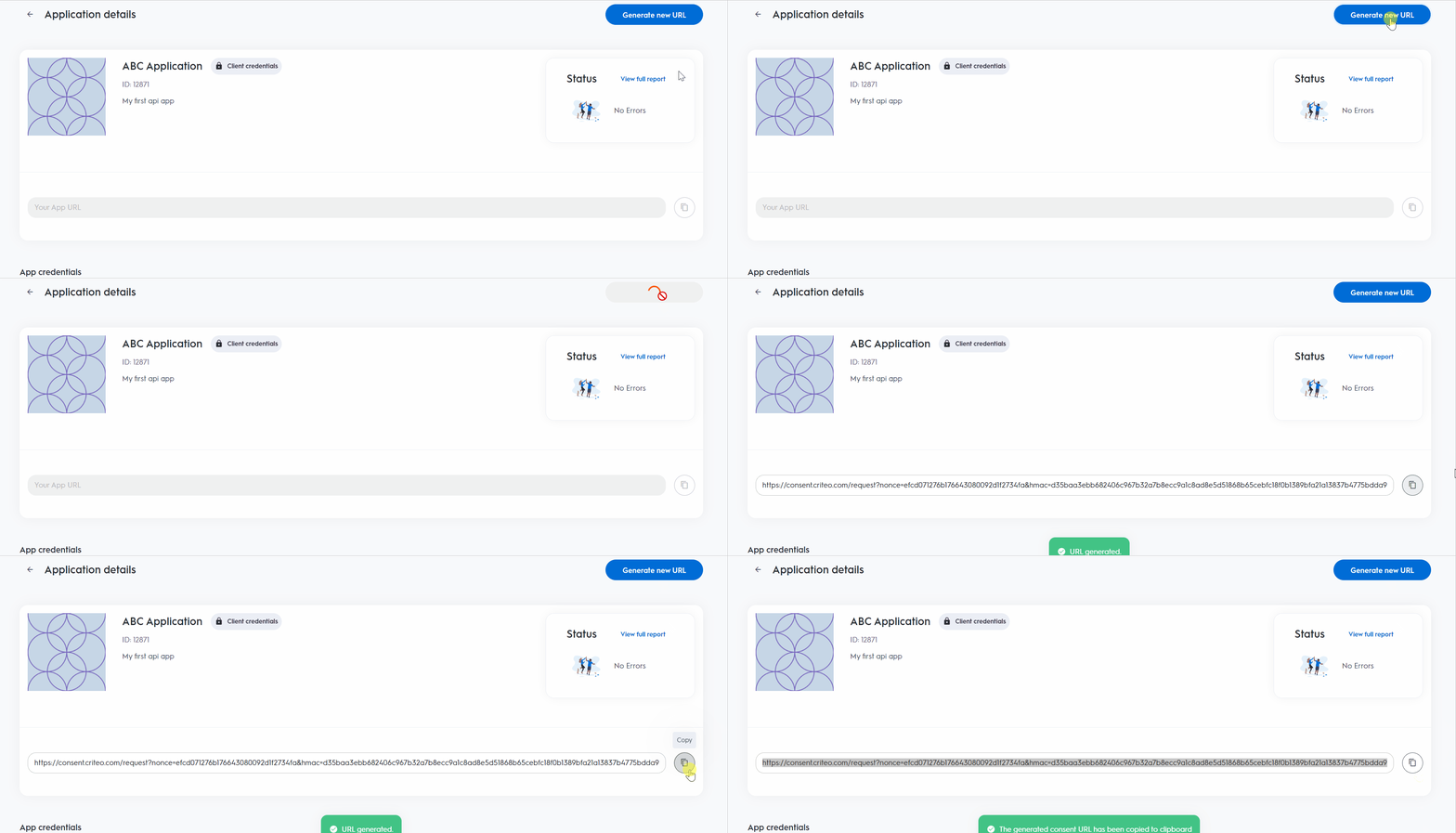
5
Generate the key
Under App credentials, click Generate new key. A file downloads with your client ID and client secret — the secret is shown only once, so keep the file.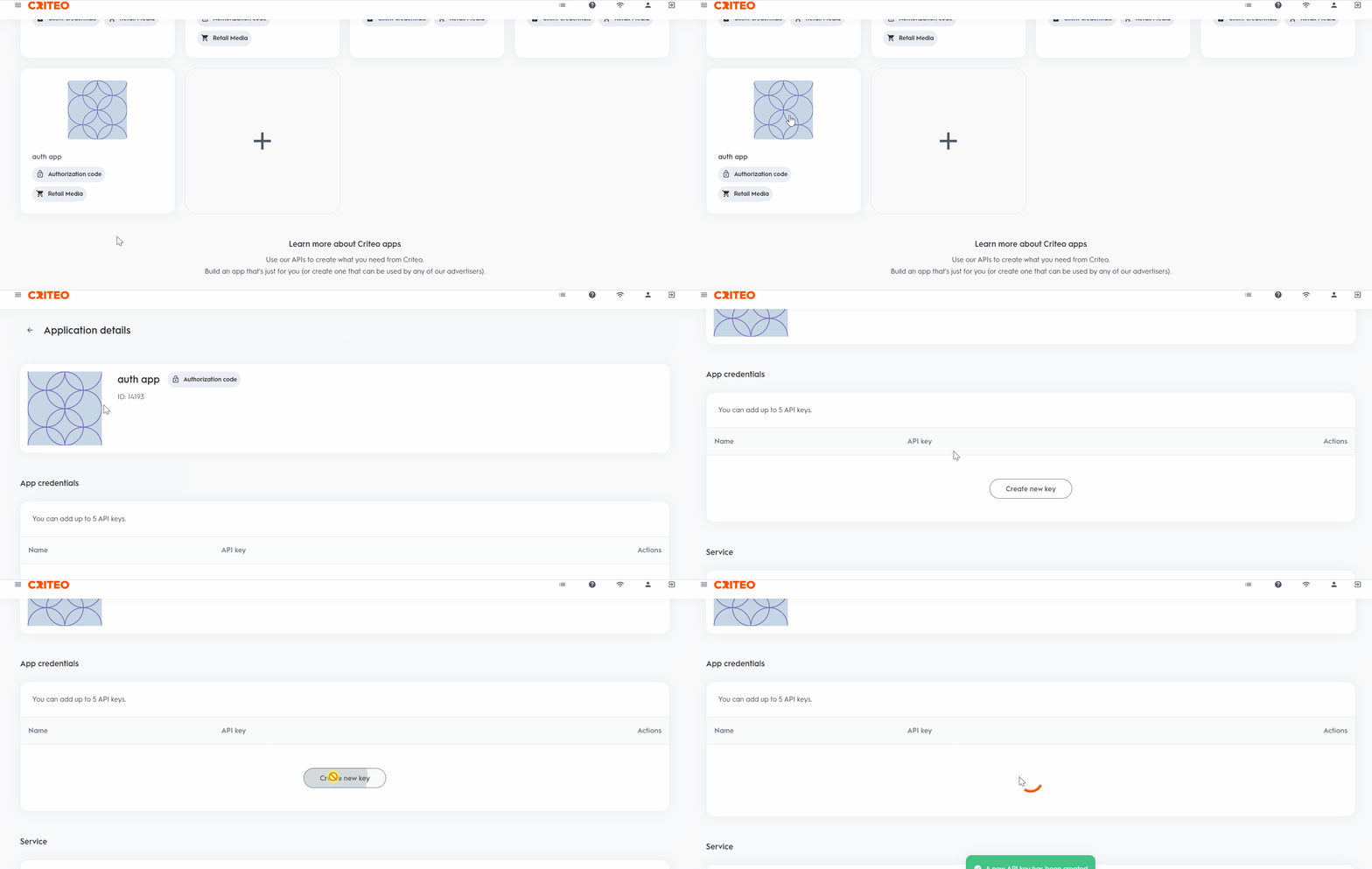
Step 2 — Connect in Ryze
In Workspace Settings → Integrations, click Connect on the Criteo card, paste the Client ID and Client secret, and click Continue. Ryze validates the credentials against your advertiser portfolio before saving.Troubleshooting
- Credentials rejected — check both values against the downloaded key file. If the secret is lost, generate a new key in the Developer Portal.
- Connected but no advertisers — the app is not consented to any advertiser portfolio yet. Open your app in the Developer Portal and complete the consent flow.
- Reports look empty — only advertisers with at least one campaign appear in statistics.