

- Self-hosted site — your WordPress runs on your own hosting (you log in at
yoursite.com/wp-admin). Connects with an application password. - WordPress.com / Jetpack — your site is hosted on WordPress.com, or it’s self-hosted but connected through the Jetpack plugin. Connects with one click — you’re redirected to WordPress.com to authorize access, no passwords to copy.
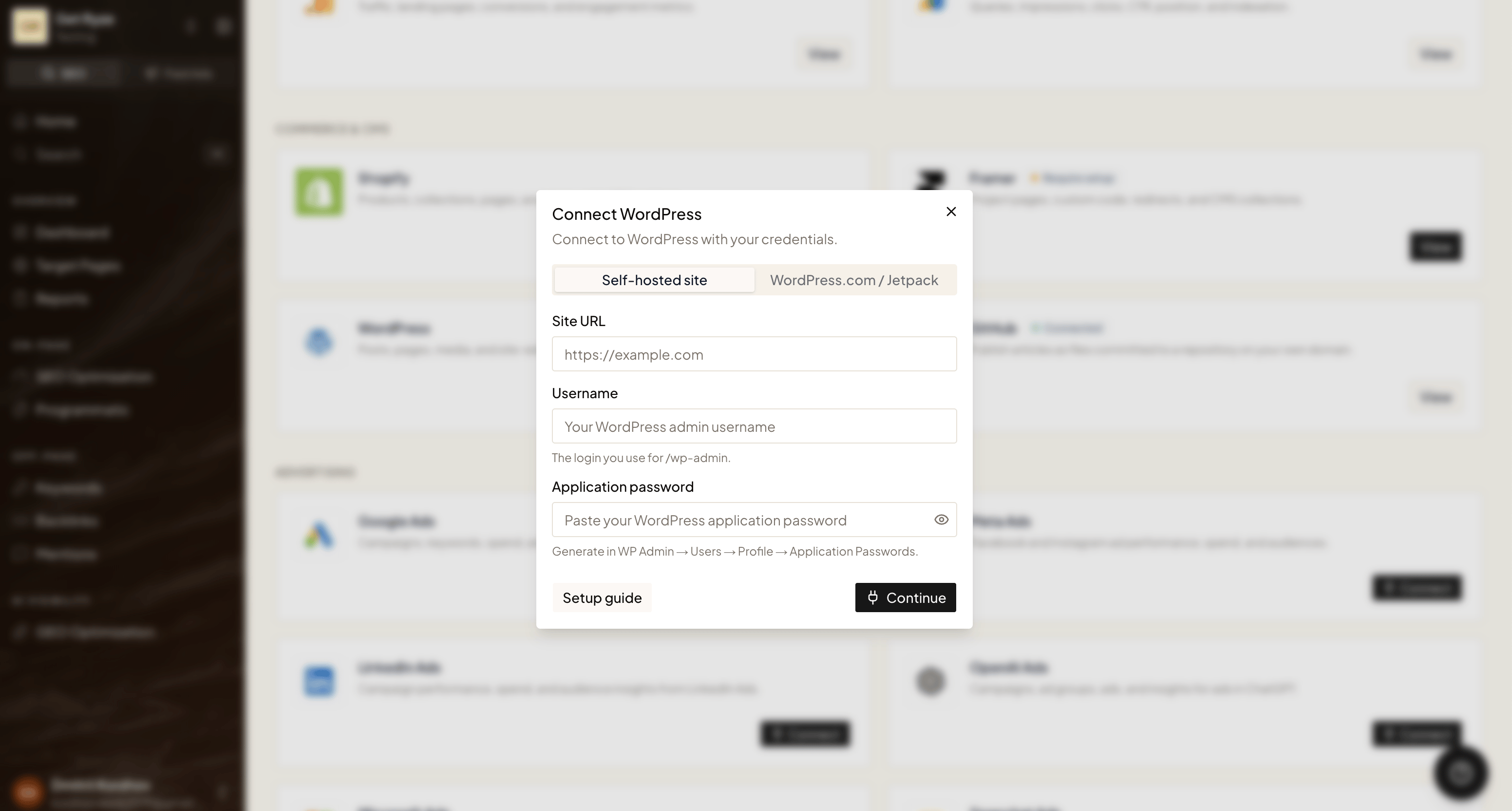
wordpress.com, pick WordPress.com / Jetpack. If you log in at your own domain’s /wp-admin, pick Self-hosted site.
Option A — WordPress.com / Jetpack
1
Open Integrations
In Workspace Settings → Integrations, click Connect on the WordPress card and select the WordPress.com / Jetpack tab.
2
Authorize on WordPress.com
You’re redirected to WordPress.com. Sign in and approve access.
3
Pick your site
If your account has several sites, choose the one Ryze should publish to. Done — no passwords needed.
For Jetpack sites, make sure the Jetpack JSON API module is enabled — Ryze publishes through it. If the connection fails, enable the module in Jetpack settings and reconnect.
Option B — Self-hosted site
A self-hosted site connects with an application password — a special key you generate in WordPress that lets Ryze access your site without sharing your real login.Step 1 — Generate an application password
1
Open your profile
In your WordPress admin, go to Users → Profile (or Users → All Users → your user → Edit).
2
Find Application Passwords
Scroll to the bottom of the profile page to the Application Passwords section.
3
Create the password
Enter a name like 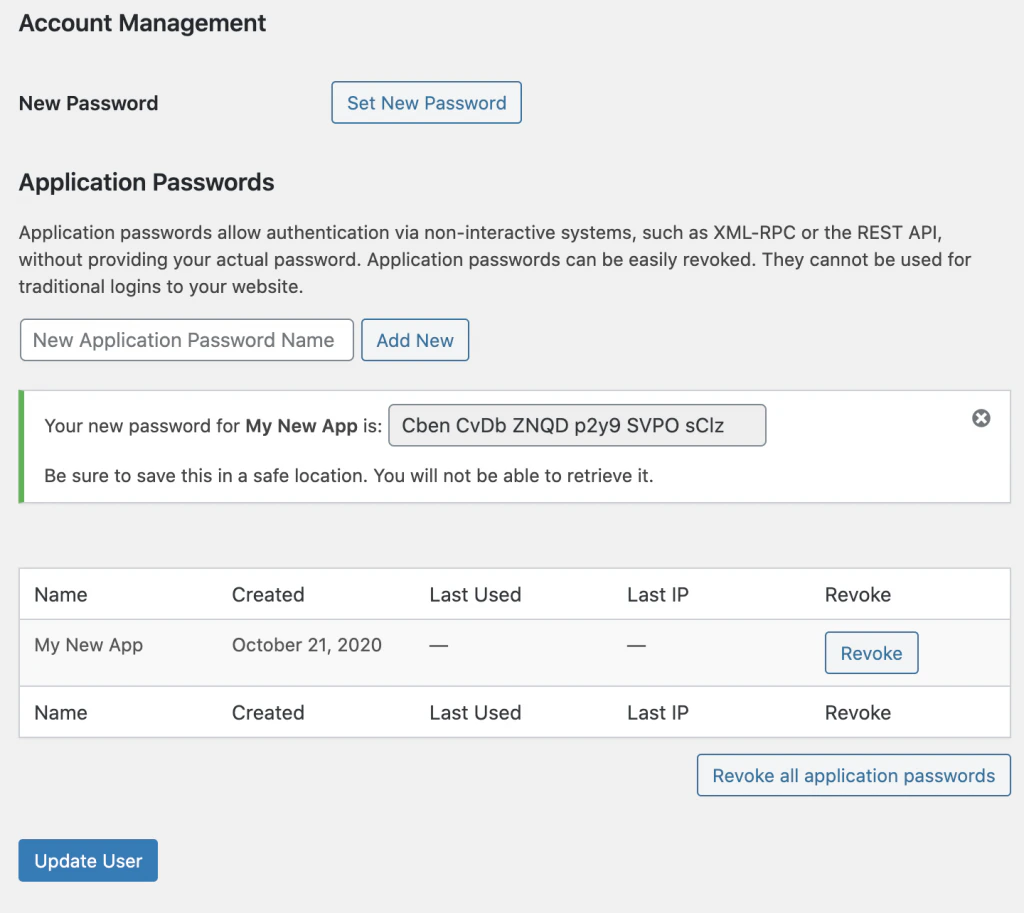
Ryze, then click Add New Application Password. WordPress shows the generated password once — copy it now.Step 2 — Connect in Ryze
In Workspace Settings → Integrations, click Connect on the WordPress card, select the Self-hosted site tab, and fill in:- Site URL — your site address, e.g.
https://example.com - Username — the login you use for
/wp-admin - Application password — the password you just copied
Troubleshooting
- Credentials rejected (self-hosted) — double-check the username and application password.
- REST API not found — make sure the WordPress REST API is enabled and the site URL is correct.
- Jetpack site won’t connect — enable the Jetpack JSON API module, then reconnect.
- Can’t reach the site — verify the site URL is reachable and uses
https://.